 Reverse Surface UV
Reverses the parametric direction of a surface (U or V), or swaps the U and V parameters of a surface.
Reversing the U or V parameterization, or swapping the U and V parameters for a surface does not affect the direction of the normal.
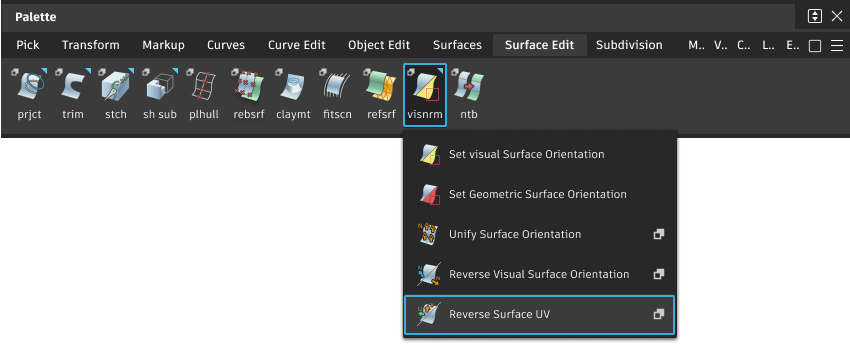
Access this tool from the Surface Edit tool palette:
Reverse Surface UV Options
Display direction(s)
All intersecting – Display the U and/or V direction of all surfaces under the cursor.
Closest to eye – Display the U and/or V direction of the nearest surface under the cursor.
Surface Reversal Mode
Reverse U direction – Reverse the direction of the U isoparametric curves.
Reverse V direction – Reverse the direction of the V isoparametric curves.
Swap U and V direction – Swap the isoparametric curves so that the U direction becomes the V direction and vice versa.
Reverse Surface UV workflow
Reverse, swap, or examine the directions (tangents) of a surface
If you want to reverse the direction of several surfaces at once, select them now.
Double-click the Reverse Surface UV tool
icon.In the option box, choose whether you want to reverse the U direction, the V direction, or swap U and V.
Click on the first surface you want to examine or reverse.
An indicator appears on the surface showing the current tangent(s) (U, V, or both, depending on the option chosen).
Do any of the following:
- Click the
 and drag over the surface to examine the tangent direction(s).
 - Click the
 or the Reverse Active button in the window to reverse the surface you clicked.
 - Click the
 or the Reverse All button in the window to reverse all selected surfaces.
- Click the
Click on another surface and repeat step 5.
Note: Reversing the direction of the U and V parameters on a surface affects the surface normal, but does not affect the surface orientation.