 Shell Unstitch
Converts a shell object back to normal surfaces.
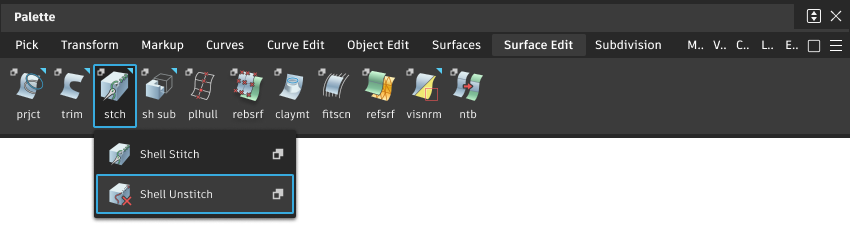
Access this tool from the Surface Edit tool palette:
Shell Unstitch Options
Keep originals
Keep the original shell after it is unstitched into surfaces.
Shell Unstitch workflow
- Pick the shell object.
- Slect the Shell Unstitch tool .
What if...?
- I can’t make a shell object because of gaps between the surfaces?
You can use the Align tool to make the surface edges match exactly.
You can change the tolerance governing how close surface edges must be. In the option box, turn off Use construction options and set the Tolerance value.
- I can’t stitch surfaces together again after scaling them?
If you stitch an object, then scale it, then unstitch it, you may not be able to re-stitch the object. This is because the scaling operation can increase the gaps between surfaces beyond the current tolerances.