 Refit Surfaces
Refits a selected set of surfaces to a scanned mesh, maintaining the character of the original surface set (degree, spans, parameterization).
Access this tool from the Surface Edit tool palette :

Refit Surfaces Control settings
Refit Direction
The projection direction for the refit, Z Axis, Y Axis, X Axis or Surface Normal.
Surface Normal should work in most cases.
Minimum Degree
The minimum degree of the refit surfaces. If the target refit surface has a degree less than the specified degree, the degree is raised to the specified degree.
Smooth
Smooths the surface according to the Smooth Factor.
Smooth Factor
Controls the effect of each smoothing step. The smaller the smoothing factor, the smaller the movements of the CVs. Increase the smooth factor on noisy scans.
Auto Update
Automatically updates the surfaces when the values in the Refit Surfaces Control window change.
Deviation Check
Displays the maximum deviation between the surface and the mesh.
Deviation Scale
Sets the scale of the deviation combs.
Refit Surfaces workflow
As part of the reverse engineering process, you can refit a selected set of surfaces to a scanned mesh. The refit surface set maintains the character of the original surface set (degree, spans, parameterization).
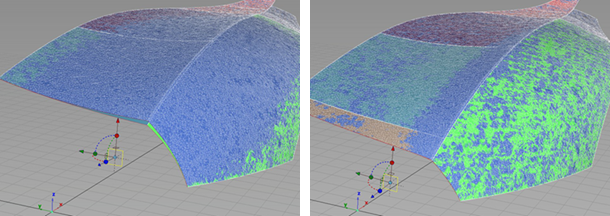
Before Refit left, After Refit right
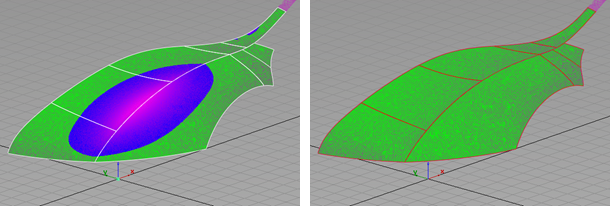
Deviation Before Refit left, Deviation After Refit right
- Select the Refit Surfaces tool.
- Select the surfaces to refit and click Accept.
- Select the mesh to which you are refitting the surface.
- Adjust refit options, as needed.
- Click Build.