The AutoCAD Electrical toolset Help system is available through context-sensitive links or by accessing it through the Help menu or icon. Key features of the Help system include:
- There is on-demand access from the F1 function key, ribbons, dialog boxes, and the command line.
- Navigation tabs in each topic link to related procedures, references, and concepts.
- The Help menu gives you access to AutoCAD Help, AutoCAD Electrical toolset Help, AutoCAD Electrical toolset Learning Resources, the Welcome Screen and other resources.
Online or Offline Help
Product Help is available online and is not installed with the product by default. You can launch the Help installation at the end of the product installation, or after launching the product by selecting Download Offline Help from the Help icon.
What are ways to gain access to Help?
|
Help Button in ribbon environment |
Select the Help icon in the upper right. Select the drop-down arrow to display a menu of help options. |
|
Help Menu |
From the menu bar, select Help |
|
Press F1 |
|
|
Help button |
In a dialog box, click Help to open the Reference topic for the active tool. |

How is Help organized?
The Help contains these topic types:
- Task topics provide step-by-step instructions for accomplishing tasks.
- Reference topics offer detailed descriptions of elements in the dialog box or lists command line options.
- Concept topics provide conceptual information about tools and tasks and can explain related concepts.
The topic title is designed to tell you the topic type:
- Task topics start with "To", or if the topic contains multiple related tasks the topic starts with "To Work With"
- Reference topics contain "Dialog Box" or "Reference"
- Concept topics start with “About”
How do I get around in the Help system?
When you start the Help system, the first thing you see is the AutoCAD Electrical toolset Help home page.
The left side of the home page contains the tabs:
 - Table of Contents, focused on Task topics.
  - Search to view a list of topics that contain the search words anywhere in their content.
The right side of the home page contains links to resources both within the help and on other sites.
Once you open a topic, look at the end of the topic for links to related Task, Reference, or Concept topics.
AutoCAD Help
The AutoCAD Help is merged with the AutoCAD Electrical toolset Help, however it is not shown in the table of contents. Use Search to find AutoCAD topics.
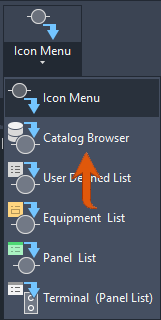
Command Location Link in Topics
Get Started with AutoCAD Electrical Toolset
- Watch the essentials videos on the Learn page of the dashboard.
- Click Tutorials on the Help home page and work through the available lessons.
Training programs and products from Autodesk help you learn the key technical features and improve your productivity. For the latest information about Autodesk training, visit http://www.autodesk.com/training or contact your local Autodesk office.
The Autodesk Authorized Training Center (ATC) network delivers Autodesk-authorized, instructor-led training to design professionals who use Autodesk software. Autodesk Authorized Training Centers use experienced and knowledgeable instructors. More than 1,200 ATC sites are available worldwide to meet your needs for discipline-specific, locally based training.
To find a training center near you, contact your local Autodesk office or visit http://www.autodesk.com/atc.