In AutoCAD MEP 2024 toolset, you use spaces to model the interior areas of rooms as explained in Adding Spaces to a Floor Plan. You group the spaces into zones that represent the real-world heating and cooling zones. See Attaching Spaces to Zones for more information.
After you create spaces and group them into zones, you can export the information to a file in the Green Building XML (gbXML) format as follows.
- Click
 gbXML.
 If necessary, you can scroll down to locate the command from the list.
- In the gbXML Export dialog box, for File Name, specify a file name and folder.
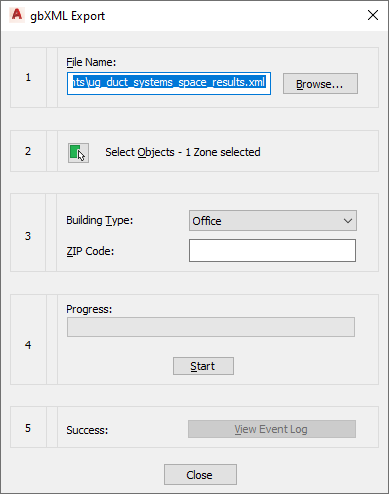
- Click Select Objects to choose the zones to be exported.
- Specify a building type and zip code.
- Click Start.
- If an error occurs during the export process, click View Event Log to learn more about the error.