New Material for Explicit Analysis
MATB (Brittle Failure Material Model) is useful for analyses such as a projectile passing through concrete. The MATB card can be manually added to a Nastran file either in Inventor Nastran Editor utility or in Inventor Nastran file browser. For detailed information, see the MATB (Brittle Failure Material Model) topic.

New Output Requests for Explicit Analysis
APPLIED LOADS, CONTACTFORCES, and PLASTICSTRAIN. Now we can manually add these output requests in a Nastran file in the "Case Control" section. In order to view the results for these output requests, use Editor utility 2021. For detailed information, see APPLIEDLOADS, CONTACTFORCES, and PLASTICSTRAIN topics.

Point Masses Support in Explicit Analysis
Concentrated masses can be directly added to models for analysis. Use Editor utility or Inventor Nastran file browser to manually add the point mass.
Terminology Update
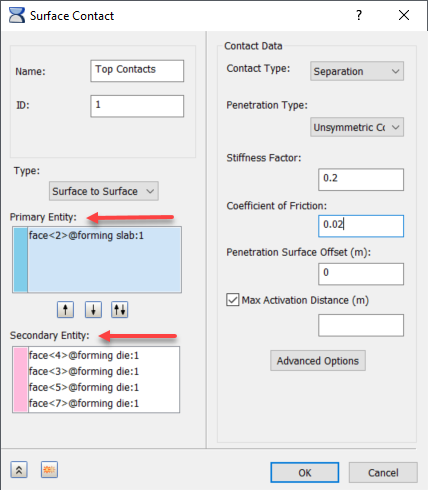
The terms "Master" and "Slave" have been used for many years in description of surface contacts and related reference materials. Starting in the 2021.1 release, these terms are being purged from several Autodesk products and their Help, including Inventor Nastran. "Master" is replaced with "Primary", and "Slave" is replaced with "Secondary". Users of 2021.0 products will have to work around a mismatch between the old terms in their products and new terms in the Help.
The major user interface change, which affects the User's Guide, Tutorials, and Self-Paced Training, is in the Surface Contact dialog, shown below: