Generate a List of All Design Files Used in the Current Model
In Navisworks, open the desired file and click Home tab > Tools panel > Batch Utility
 .
.In the Save Output As dialog box, browse to the desired folder, and enter the name for the text file.
In the Save as Type drop-down list, select the File List (*.txt) option, and click Save.
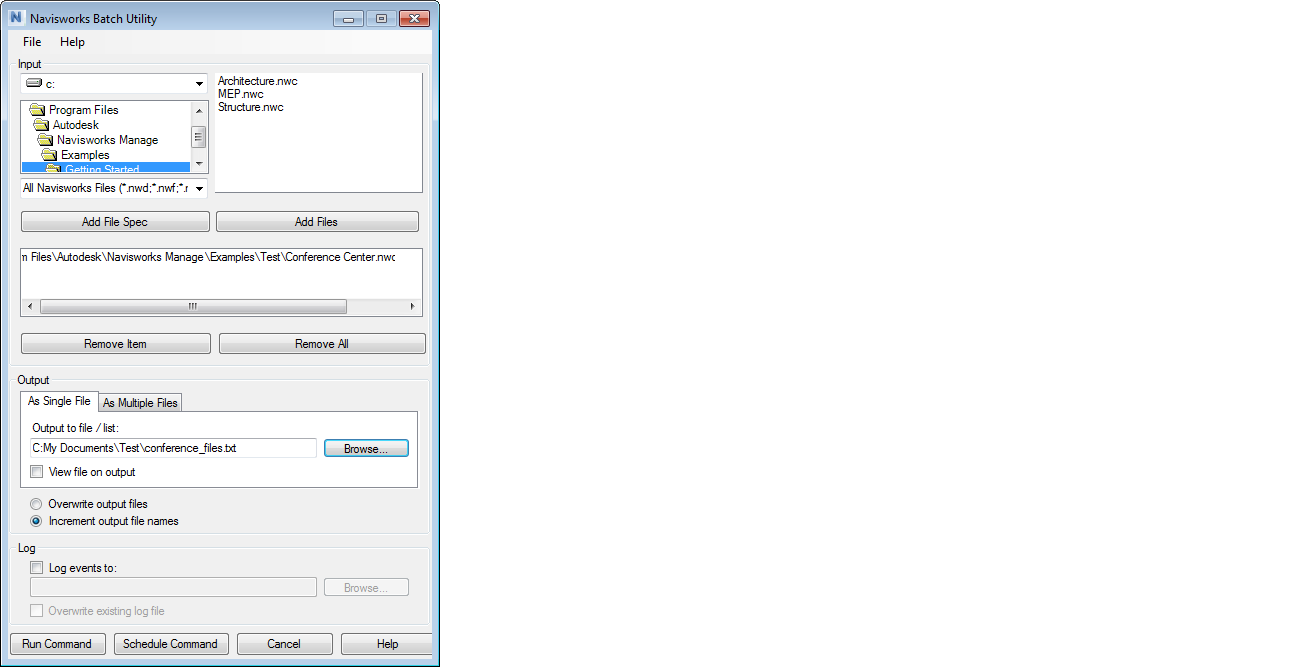
In the Navisworks Batch Utility dialog box, click the Run Command button.
Tip: If you want to automatically open the file as soon as it’s been created, select the View File on Output check box before you click the Run Command button.