Use the options on the to resize the model.
Resize to Fit — Use this option to adjust the view to see the entire model.
It converts this:
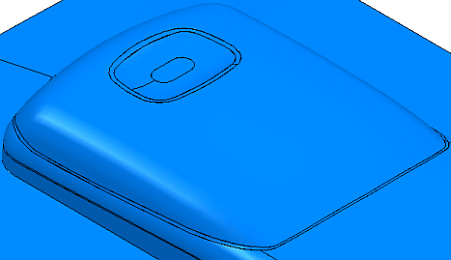
to this:
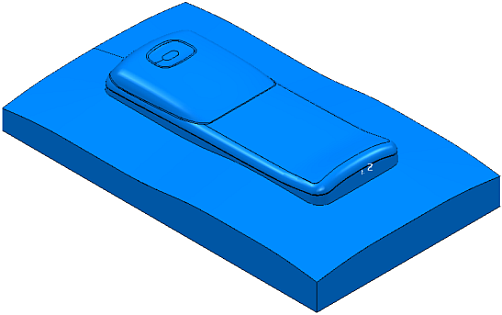
This zooms in or out as required. So, it also zooms a microscopic image on the screen to one that just fits inside the window.
Tip: If you cannot see your model, click
to centre the model at the middle of the screen.
Zoom:
- Zoom to Box — Use the option to zoom in to a specific area of the image. Click and then use the left mouse button to drag a zoom box over a section of the model.
PowerMill zooms in to the boxed area.
It converts this:
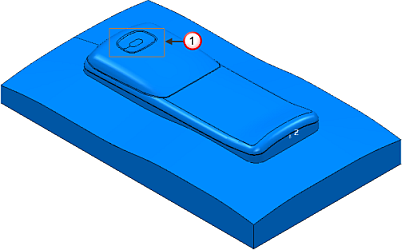
into this:
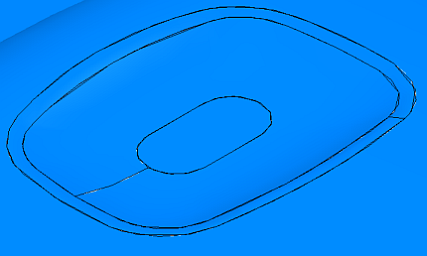
 Zoom box
- Zoom In — Use this option to zoom in to the model. Click repeatedly until desired view is achieved. This zooms the model about the centre of the graphics window.
- Zoom Out — Use this option to zoom out from the model. Click repeatedly until desired view is achieved. This zooms the model about the centre of the graphics window.
Tip: You can also resize a model by holding down the
Ctrl key and the middle (or right) mouse button, and then dragging the mouse up to
Zoom In or down to
Zoom Out.