Script Preferences
Enter scripts or script commands using the Script Editor. They are executed on each startup. For further information, please refer to the VRED Python Documentation found in Help > Python Documentation.
In the Menu Bar, select Edit > Preferences, then on the left side of the dialog box, select General Settings > Script. After making any changes, press Apply and Save to save them.
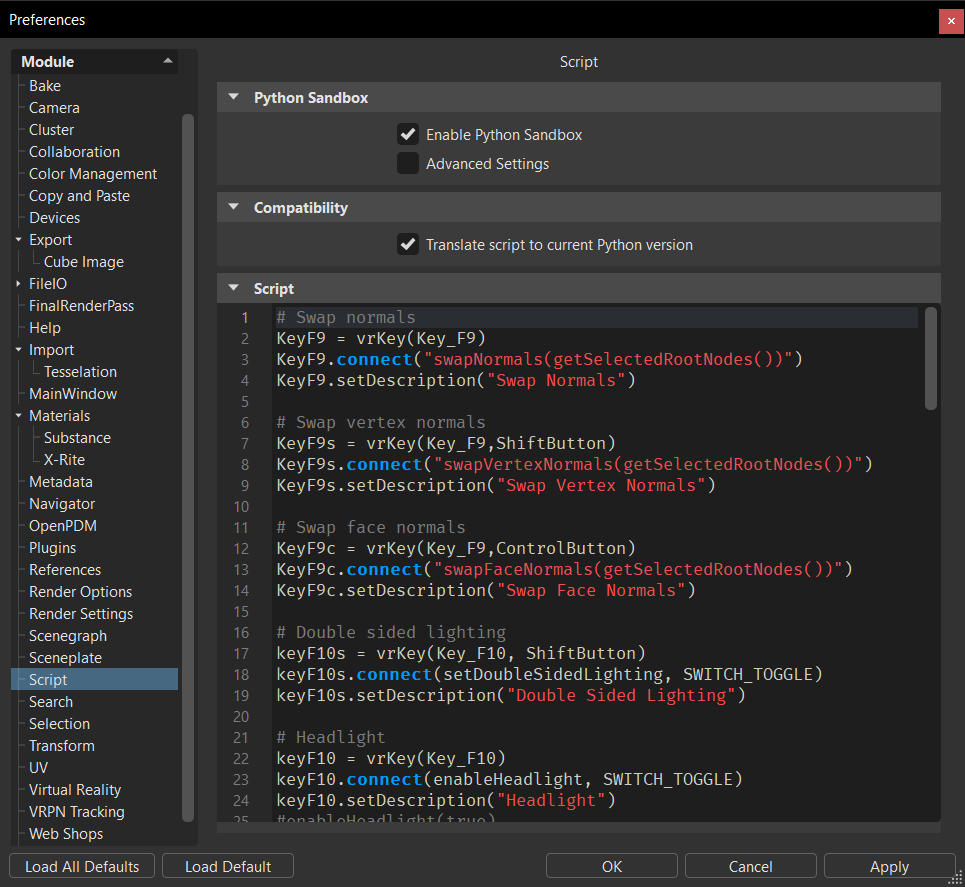
Python Sandbox
To avoid the execution of Python commands that can arbitrarily call operating system commands during file load, we implemented a Python sandbox. It can be configured in Preferences > Script. By default, the sandbox is enabled, blocking the following operations:
- Creating new network connections in Python scripts
- File system access through Python IO modules
- Starting new processes
If a Python script contained in a project file tries to process one of these operations, a warning dialog is displayed. The operation can then manually be allowed or blocked.
If Apply this action to all future instances is selected, it applies the selected action to all subsequent occurrences of the same command.
Selecting the action, Allow for this project, allows the operation until a new scene is called or another project file is loaded.
Selecting Don’t execute blocks the operation and a Python exception is thrown.
Enable Python Sandbox - Use to enable or disable the Python sandbox. When the sandbox is disabled, no restrictions are in place for script execution. When enabled, creating new network connections in Python scripts, providing file system access through Python IO modules, and starting new processes are blocked.
Advanced Settings - Use for configuring exceptions. When enabled, VRED will check Allowed Functions for any added functions and Allowed Modules for any added modules exceptions.
If
socketis added to Allowed Features, all functions provided by the socket module are no longer blocked.If
socket.getaddrinfois added to the list of allowed functions, then only the function,getaddrinfo, provided by the socket module, is no longer blocked.The Allowed Modules exception can also be used to exclude custom Python modules from the Python sandbox.
In addition to the preferences, the sandbox can also be controlled with command line options and an environment variable.
- Use
-insecure_pythonto completely switch off the sandbox. - Use
-force_secure_pythonto force the sandbox to be switched on. - Set the environment variable,
VRED_SECURE_PYTHON, to force the sandbox to be switched on.
Compatibility
- Translate Script to Current Python Version - Changes any Python 2 code to Python 3 before running it, when enabled. When disabled, Python 2 is used.
Script
Contains shortcut key combinations and Python scripts for some features.