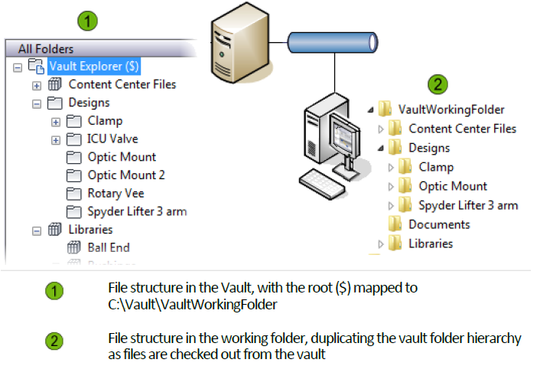
The working folder contains read-only copies of files that have been checked out from a vault.
When a file is checked out, the checked out version from the vault replaces the file in the working folder and becomes read-write for editing. When the file is checked back into the vault, the local version in the working folder returns to read-only.
It is not necessary to specify a working folder to begin using a vault since one is defined by default at My Documents\Vault. However, you can change the location for the working folder with the Set Working Folder command. Administrators can also enforce a standard working folder location for all users.
Each vault has a root level folder. The root level of a vault is denoted by a $.
Set the Working Folder
- Select a file or folder in the vault.
Tip: As a best practice, set the working folder location from the root ($) level of the vault.Note: The working folder must be set from the root ($) level of the vault to a local folder for AutoCAD and AutoCAD Mechanical files. The Vault add-in for AutoCAD ignores working folders that are not set at the root ($).
- Select
.
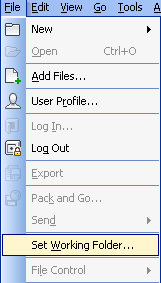
- In the Browse for Folder dialog box, navigate to the new location on the local computer for the working folder.
- Click OK.
If the application option is enabled, the working folder path displays above the vault folder tree and the file list.