Important: This tool uses a proprietary NTF data format from the UK Ordnance Survey, which is no longer supplied directly. Instead, elevation data can be imported as
Ground Models and used to populate elevations using
Inference. This tool will be removed in future versions.
Elevation of objects in the network can be set by using Digital Terrain Data.
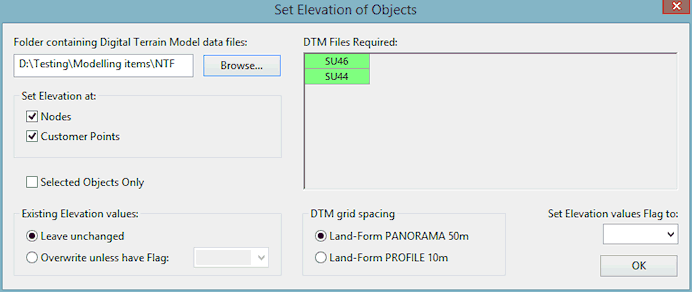
The Set Elevation of Objects dialog is used to carry out this process. See Setting Object Elevation for more information and full instructions.
The dialog is displayed when Set Elevation of Objects is selected from the Model menu. The Model menu is only displayed when a network is open and one of the network views is the Current Active Window.
Note: Setting object elevation will only work for the United Kingdom. It is specifically designed to work with the British National Grid coordinate system.
Terrain data (NTF) files covering the area to be updated are required. These files must all be in the same directory.