Retopology Tools for 3ds Max v1.5.0 Release Notes
For important legal information, see About Retopology Tools for 3ds Max.

This is the latest available version of Autodesk Retopology Tools for 3ds Max. Visit the official Autodesk download page to obtain the latest release.
Compatibility
This version of the plug-in is compatible with:
- 3ds Max 2022, 2023, 2024, and 2025
Download updated versions for previous releases of 3ds Max from your Autodesk account.
What's New in v1.5.0
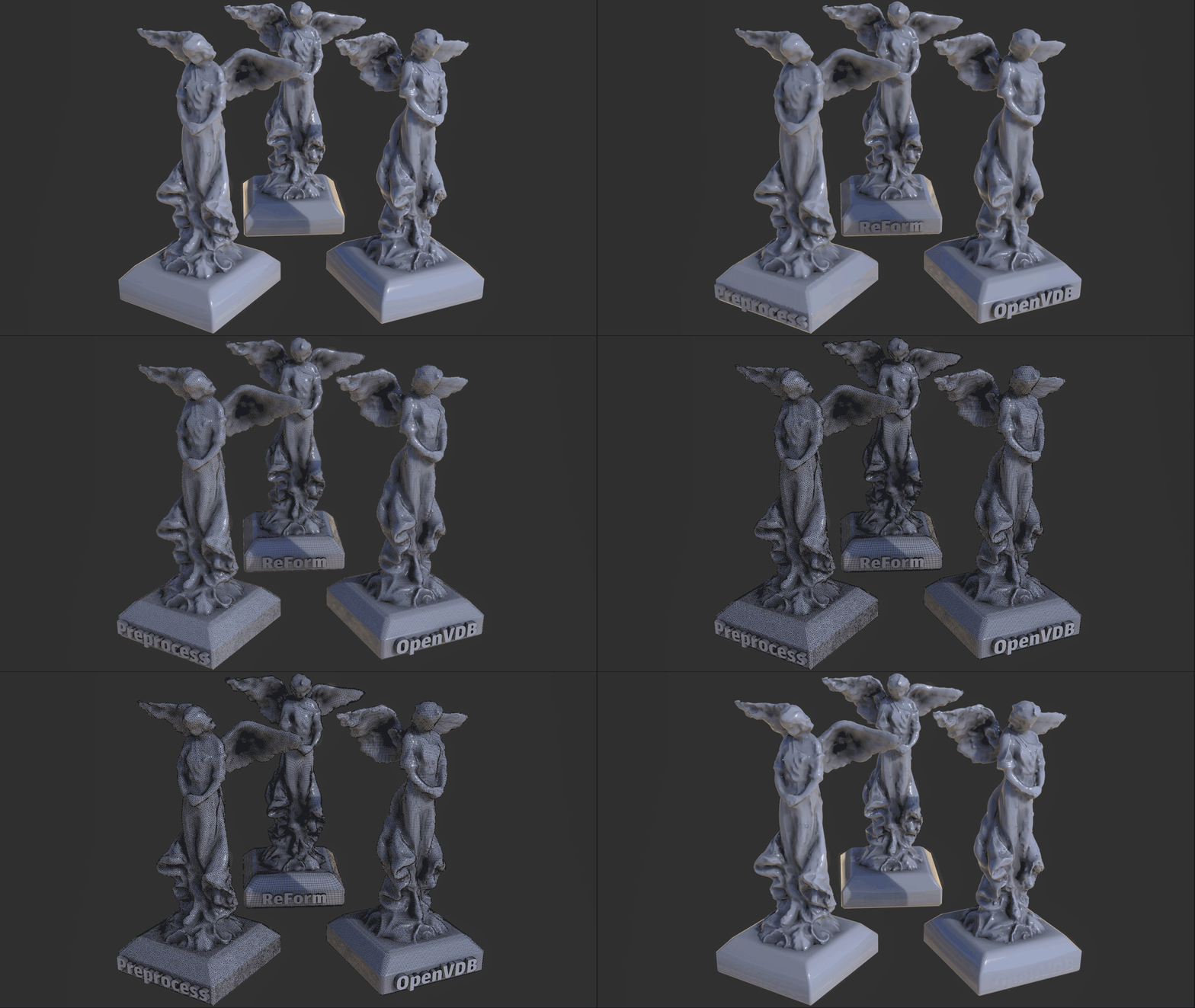
This release has updated preprocessing and OpenVDB remeshing as stand-alone processes, alongside improvements to processing time when using Autodesk ReForm.
Performance Improvements
Retopology's base algorithm, Autodesk ReForm, has been updated to version 1.5, resulting in improved performance and stability. While the performance boost may vary depending on the input mesh, processing times are now up to 8% faster. This is only available for 3ds Max 2025.
Latest Features
- Preprocess is now a stand-alone option (available for 3ds Max 2022 or newer) from the algorithm menu options. When you use this function, it will only perform the Preprocess step, giving you a triangulated output result.
- OpenVDB remeshing (available for 3ds Max 2024 or newer) is now accessible from the algorithm menu options. When this option is chosen, you can remesh your selected data using OpenVDBs Volume-to-Mesh conversion, which reconstructs water tight geometry using Signed Distance Fields (SDF) grids. You can then influence the resolution of the output that is generated by adjusting the Voxel Size parameter.
- A new escape mechanism has also been added to interrupt OpenVDB based meshing found in the Retopology modifier, and through Maxscript access. You can use the ESC key to call an abort request on the OpenVDB process. This mechanism will assist you when you have accidentally set a voxel size at a value that causes longer processing time.
- Note: For complex OpenVDB calculations this abort might not be instantaneous and have a delay if OpenVDB is consuming a significant amount of CPU and memory resources already.
- New and updated tooltips can be seen in the interface.
| Fixed Issues |
|---|
| Improved the Mesh Cleaner modifier to clear out "dead" data so that cleanup operations can have better success. MAXX-76320 |
| Mesh Cleaner has been updated to repair Degenerate Faces on polygon topology. These faces are identified a faces that are 100 times smaller than their neighbors average size. MAXX-69176 |
| Mesh Cleaner and Mesh Validator have been updated to improve its Isolated Vertex cleanup process. MAXX-69175 |
| Mesh Cleaner and Mesh Validator will now clean up Zero Area UVs, UVs that are smaller than a value of .000001 (1E-6). If the area is smaller than this value, the Mesh Cleaner and Mesh Validator will scale the UV to make it it larger than that value. This fix helps to resolve issues with game engine's such as Unreal Engine where small UVs can cause issues. MAXX-69003 |
| Improved the tooltips for the Retopology modifier to be more expressive and helpful. MAXX-68002 |
| Resolved an issue where the Quadriflow retopology algorithm could get itself into an endless loop of processing, eventually consuming system memory, and eventually crashing. MAXX-63302 |
| Known Issues and Limitations |
|---|
| When uninstalling the Autodesk Retopology Tools 1.1.0 (or previous) for 3ds Max, the message "Install Error 1603" appears. Workaround: Un-install any previous version of the Retopology Tools installed on your system, restart your PC, then install 1.5.0. |