Flow Production Tracking Desktop
Flow Production Tracking Desktop is a standalone application that you can download and install from the Apps menu of your Flow Production Tracking website.
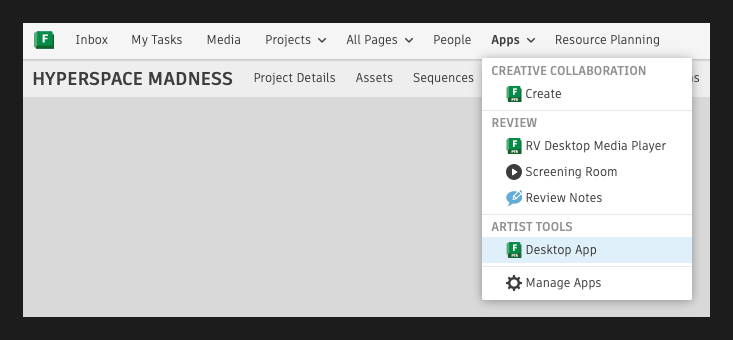
Flow Production Tracking Desktop is a full fledged application in which you can see all of your projects, perform project management, launch projects with a selected application and which allows for customization of the various Flow Production Tracking components to make the application more compatible with your facility and production pipeline. Flow Production Tracking Desktop enables the Review & Approval workflow, as well as the Shot Export workflow.
Launch Routine
The launch routine of Flame is different, for projects not set to Advanced Setup, when launching Flame from the Flow Production Tracking Desktop application.
In these cases, the following happens:
- Flame is launched.
- The Project Settings window is displayed.
- The user must select a Project (or create one) and then start the application.
- Flow Production Tracking's Create Flame Project window is no longer displayed as the project management is now performed in Flame directly. Then, one of the following happens:
- Flame launches normally if the Flame project was already connected to the current Flow Production Tracking project.
- The Flame project is automatically connected to the Flow Production Tracking project, if the Flame project was not connected to a Flow Production Tracking project.
- A warning is displayed to the user, if the Flame project is connected to a different Flow Production Tracking project. The user must decide whether to change the Flow Production Tracking project assignation or not.
Media Files
By defaut, the media files generated by Flow Production Tracking Desktop depend on the chosen workflow. They are as follows:
Review & Approval
| File Type | QuickTime Container |
| Resolution | 1280x720p |
| Video Codec | H.264 (Main@L3.1, 8-bit 4.2.0 VBR) (VideoLan x264 / Media Converter) |
| Audio Codec | AAC Audio Codec (160Kbps) |
| Location | Temporarily saved in /tmp. When the content is uploaded to your website, the encoded files are automatically deleted. |
The Review & Approval settings can be customized. For more information, visit Customizing the Media Export Preset for Flow Production Tracking Review.
Flow Production Tracking Export
Available only in Flow Production Tracking Desktop, Shot Export allows you to Publish DPX or OpenEXR files to your filesystem, create Batch content for Flame/Flare and submit them for Review. Flow Production Tracking Shot Export triggers a Shot Publish and generates a QuickTime file for review.
Shot Publish
| File Type | 10-bit DPX or 16-bit fp OpenEXR, based on the selected Export option. |