Applying Brush Strokes
You can paint with either a pen or a mouse, and access various pressure settings.
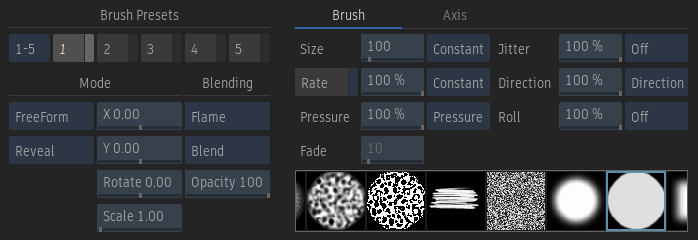
To apply a brush stroke:
Select an option from the Paint Tools box.
Select an option from the Paint On box to apply the stroke to the current frame (Cur Frame), all frames in the sequence (Sequence), or on a range of frames (Range, To Frame, or From Frame).
Select the Result (F4) or Output Matte (F4 F4) to set the view where you are painting.
If you want to paint on the result and output matte simultaneously, enable Both.
Click a brush to select it.
Set brush attributes. See Brush Attributes and Attribute Modes.
If you will reveal a source on the image, select the source in the Sources list. See Reveal.
To change the colour, click a colour pot. If you are painting on the output matte, the brush colour is grey with an equivalent luminance value.
Tip: As an alternative to using the colour pots, you can designate the colour under the pointer as the current brush colour by pressing the left Ctrl key and clicking on the canvas.Click and drag on the canvas to draw a stroke.
Note: Downstream context views are not automatically updated as you add strokes, since this would cause performance degradation. To force an update, click the Update button.Use the eraser end of the pen if you are using the stylus to erase strokes that you have created.