Creating and Saving Brush Setups
Within a given brush set, there are five individual brushes. You can create and save five brush setups using the buttons numbered 1 to 5 in the Paint menu. Each brush setup saves the brush type, attribute values and modes, Special Effects medium, filter, fill parameters, and colour correction setups.
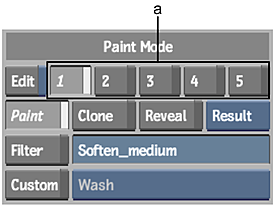
(a) Brush Setup buttons
To create and save a brush setup:
In the Paint menu, click one of the five Brush Setup buttons.
Enable Edit next to the Brush Setup buttons.
Set the brush attributes. See Brush Attributes.
Disable Edit to save the changes to the selected brush setup.
Note: To save a set of five brush setups, use BrushSet in the Save menu.
Copying Brush Setups
Copy brush setups with the setup buttons.
- Select a setup using the Brush Setup buttons and enable Edit.
- Press Ctrl and click another Brush Setup button to copy the setup.
- Disable Edit to save the setup.