Motion Vectors Improvements
 Indicates a feature suggested and voted up by users on the Flame Feedback portal.
Motion Vectors Maps as Media Clips
Motion Vectors caching on the Flame Learning Channel
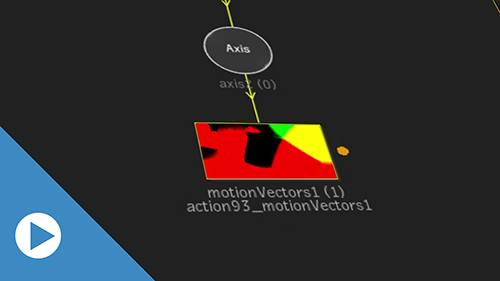
When you cache a Motion Vectors map in Batch or Batch FX, you now also create a new clip: a motion vectors clip. This clip stores the Motion Vectors cache, and behaves like any other clip: you can reuse it in another setup, wire it to another project, or even archive it.
- To create the Motion Vector cache:
- Open a Motion Vectors map.
- Click Analysis Integration
 Cache Range.
When you cache a Motion Vector map, the following happens:
- An orange dot appears next to the map.
- A clip is created in:
The map is cached in a Batch Group: The clip appears in the Batch Shelf Motion Vectors Cache.
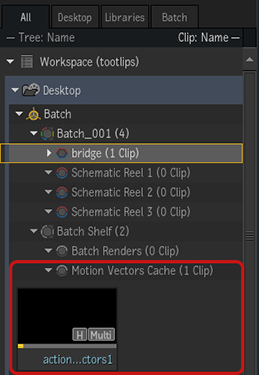
The map is cached in a BFX: The clip appears in a the library Motion Vectors Cache, in a folder named after the clip and the timeline segment.
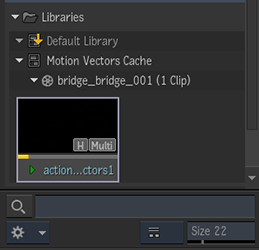
To display the cache clip of a Motion Vectors map:
- Do one of the following:
- Double-click the orange dot next to the map.
- In the Motion Vectors map context menu, select Reveal in Media Panel.
- In the Motion Vectors map object menu, click Controls Analysis Integration Reveal in Media Panel.
To load an existing Motion Vectors cache in a Motion Vectors map:
- Do one of the following:
- In the Motion Vectors map object menu, click Controls Analysis Integration Load. In the Select mode, you can select any cache clip in the Media Panel.
- In the Motion Vectors map object menu, click Controls Analysis Integration Load pulldown menu. This menu displays the cache clips from the current Batch Group or Library.
- From the Motion Vectors map context menu, select Load Cache Clip and then a cache clip. This menu displays the cache clips from the current Batch Group or Library.
- Drag a cache clip from the Media Panel onto the Motion Vectors object in Schematic.
- In the Motion Vectors map object menu, click Controls
In a the Schematic a Motion Vectors map displays the name of the cache clip below its object name.
Improved Performances
You should see improved performances with tools relying on Motion Vectors maps, such Camera Analysis or the motion-based 3D AOV in the Selective node.