General Enhancements
Learn about the enhancements made to Inventor that impact all environments.
General
Navigation Enhancements
The Display tab in the Applications Options dialog box now provides settings where you can map the middle mouse button to zoom, pan, or orbit.
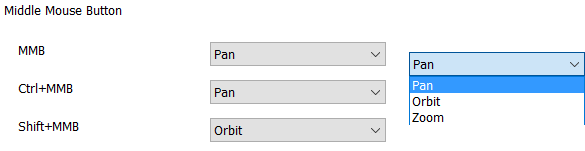
For more information, see Application Options Display Tab Reference.
Parameters Dialog Box Enhancement
The ribbon commands, Manage tab  Parameters Panel, Import from XML and Export to XML, can now also be accessed from the Parameters dialog box.
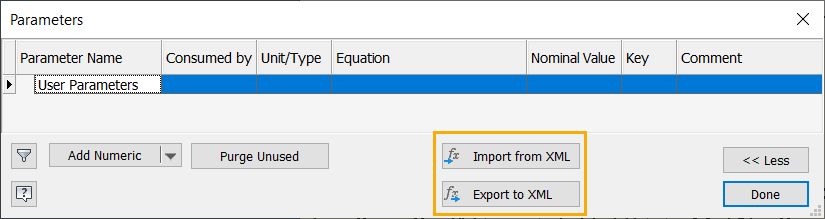
For more information, see To Work with Parameters in Models.
Browser Contrast Enhancement
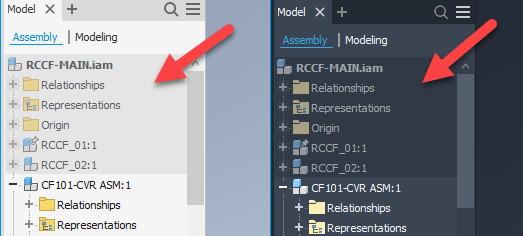
The browser contrast during in-place edit has been increased to help distinguish between active and inactive models.
Derive and Additional Persist Settings Enhancements
The following Derive settings now persist across sessions when creating a derived part. By default, each of these settings are checked. Deselecting a setting will result in the setting remaining deselected until you select it again.
Parts
- Link sheet metal styles
- Show all objects
- Use color overrides from source component
- Reduce memory mode
Assembly (Options tab)
- Use color overrides
- Reduce memory mode
- Create independent bodies
- Remove all internal voids
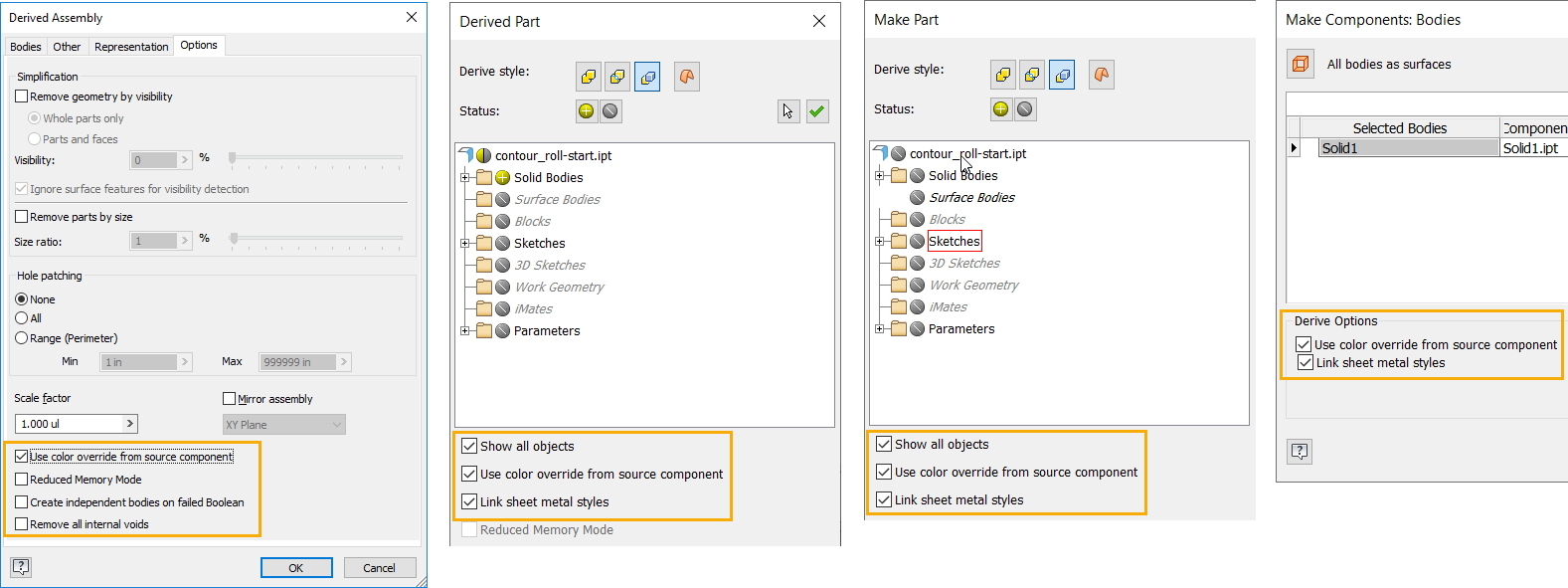
For more information on creating derived parts, see To Create a Derived Part or Assembly.
Save Dialog Box Enhancements
The Save has been enhanced to allow you to quickly identify files you're about to save that aren't in your active project. Files not in the active project display in red.
Additionally, files that have not been saved to disk display the save path as a suffix to alert you to the destination.
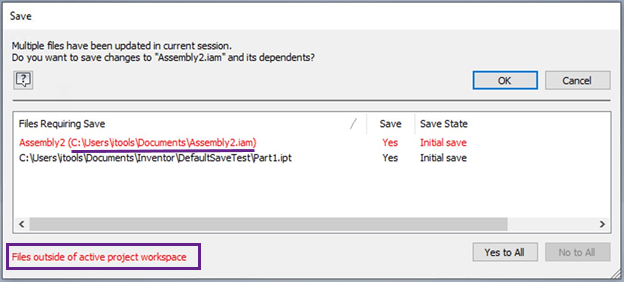
For more information, see Save Dependents Dialog Reference.
Model Edge Enhancements
A new model edge color control, Contrasting with Part, has been added. Contrast with Background was formerly labeled Part Color.
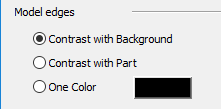
- Contrast with Background displays model edge color using the part color and an applied luminance factor based on the background color. Edges are lighter with dark backgrounds and darker with light backgrounds.
- Contrast with Part displays model edge color using the part color and an applied luminance factor based on the part color. Edges are lighter with dark part colors and darker with light part colors.
- One Color displays all model edges using the color you select.
 ** An Inventor Ideas submission**
For more information see Display Appearance Dialog Reference.