Drawing Annotations
Learn about the recent improvements made to drawing annotations.
Presets Added to Format Text Dialog
You can now specify and use presets in the "Format Text" dialog. The preset saves only the text, not the dialog settings. Note that presets are not shared between different commands.
For more information see To Work with Presets, Format Text Reference.
Ability to Scale Revision Cloud Arcs
Several enhancements have been made when working with revision clouds. Now, you can change the size of the revision cloud arcs, allowing the creation of revision clouds around smaller details in the view.
You can also edit the revision cloud using the context menu of the revision cloud browser node using the newly added "Edit..." command. In the "Revision Cloud" dialog, you can select an option to display the dialog box each time you insert a new revision cloud. This allows you to edit it immediately and use the current settings as the default values.

For more information, see To Work with Revision Clouds.

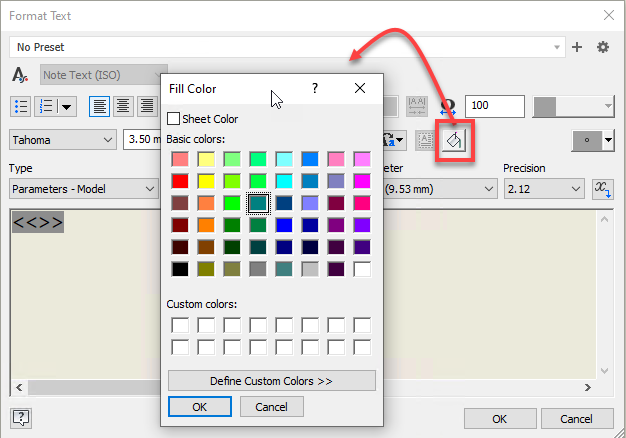
Background Color Fill Support for Dimensions in DWG
A new "Background Fill" option is added to the the "Format Text" dialog for drawing dimensions, improving the readability of drawings.
When exported to DWG, annotations with a background fill will be imported and exported with a background color fill. However, this does not apply to annotations with a leader and general note.
Use Parts List Properties in Text
The capability to add Parts List properties to any drawing text has been added to the Text dialog.
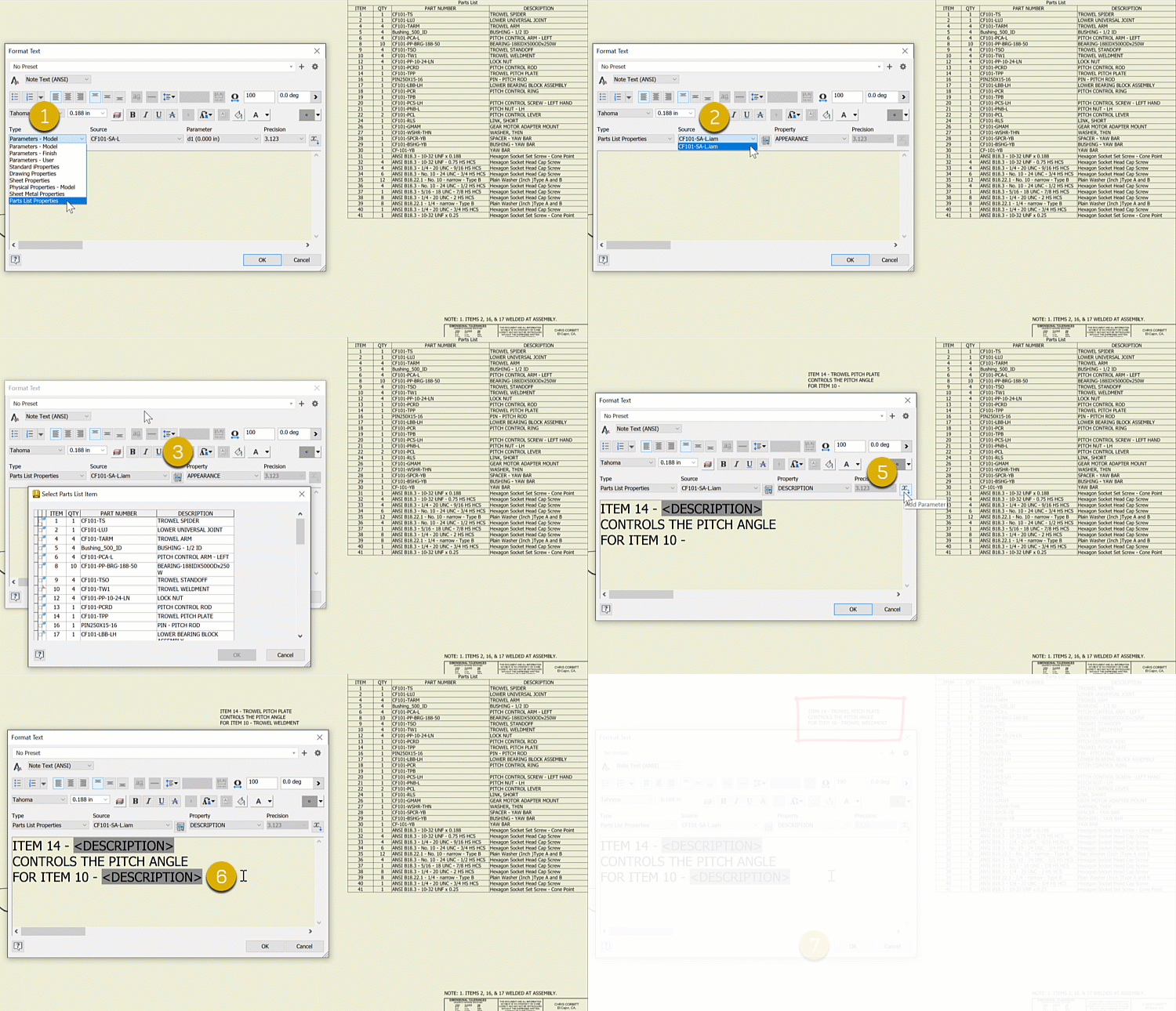
For more information, see Text in Drawings, To Add General Notes to a Drawing, Format Text Reference.
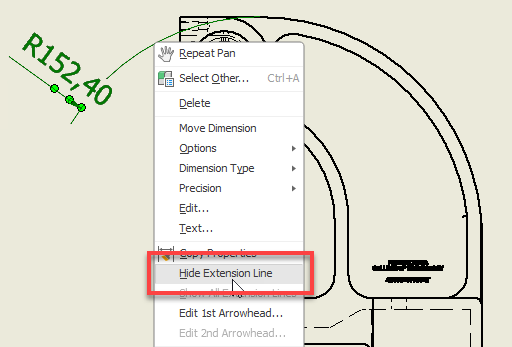
Hide the extension line of a Diameter and Radius Dimension
A new option is added for Diameter and Radius dimensions that allows you to hide the extension line. To use this feature, select the extension line, right-click, and select "Hide Extension Line".