Assembly Enhancements
Learn about new export formats and updates to existing import/export formats.
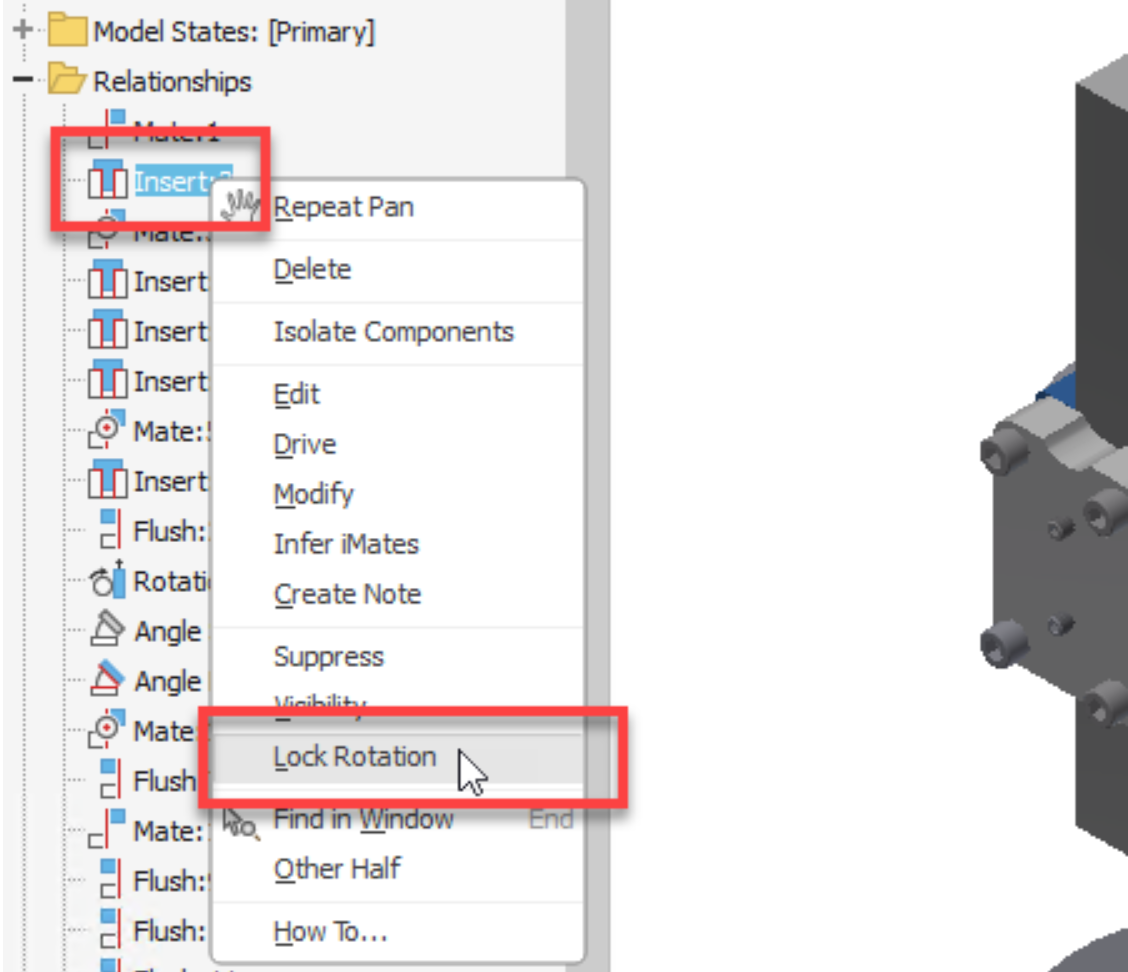
Lock Rotation in Constraints
Previously, to lock a constraint location, it was necessary to select the "Lock Rotation" option in the dialog box. Now, the "Lock Rotation" option has been directly incorporated into the context menu for the Insert constraint type. This option is also available when multiple Insert constraints are selected.

Model State Enhancement
In iParts and iAssemblies, you can now rename a newly created Model State immediately you create it.

Display number of sketch points in the Bolted Connection Generator
The number of selected reference points, holes or circular references now displays in the dialog when using the "On point", "By hole" and "Concentric" placement options.

For more information see To Create and Insert Bolted Connections.