Drawing Enhancements
Learn about the enhancements made to the Drawing environment.
Highlight Balloons in Parts List
When you select one or more Parts List rows, the corresponding balloons are highlighted. Balloon cross-highlighting helps you easily find the balloons corresponding to the selected parts list row, making it easier to locate the ballooned part geometry.
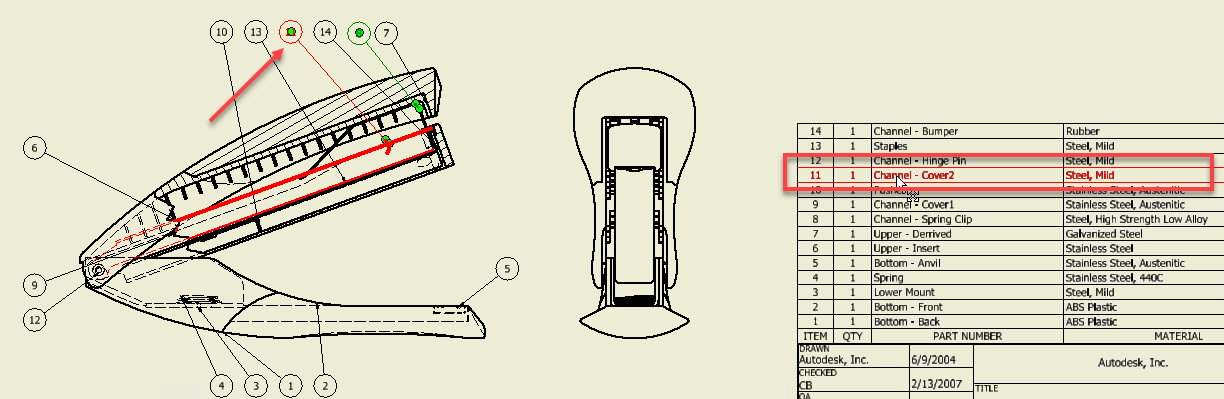
Component selection to cross highlight in Parts List row
Starting with this release, when you select a geometry, the corresponding Parts List row is highlighted (make sure the "Select Part Priority" selection filter is active). This functionality also applies to browser selection.

Selection of Component Pattern
It is now possible to select the component pattern in the drawing browser. Selecting a component pattern highlights the browser entry for the pattern (only) and all components in the graphics that make up that pattern (or pattern of patterns). Additionally, the Visibility and Select Edges options were added to the context menu.
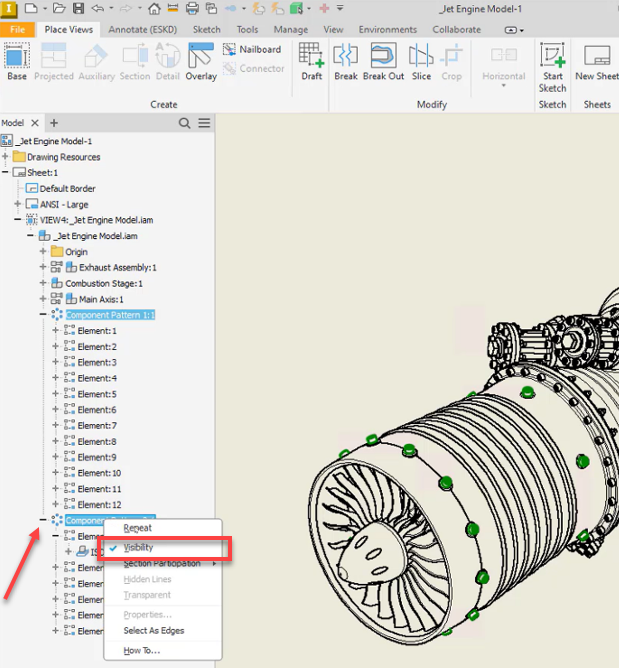

Break Out select Show Hidden Edges is only for Preview
The Break Out dialog has been redesigned to better suit workflows making it easier to use and more intuitive.
The changes include:
- Hidden Edges control is moved inside the Depth area
- Hidden Edges control is active only when the view has hidden lines removed
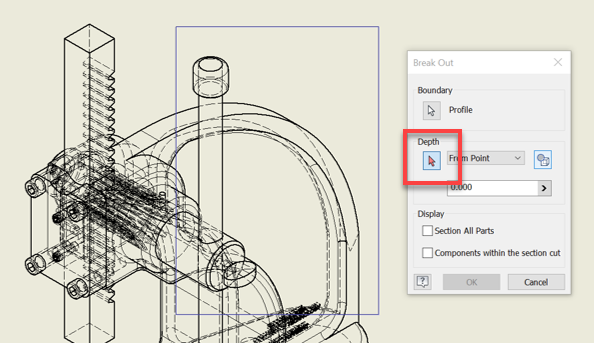
For more information see To Create a Breakout.