Part Enhancements
Check out the enhancements for the Part modeling environment.
Sheet Metal Enhancements
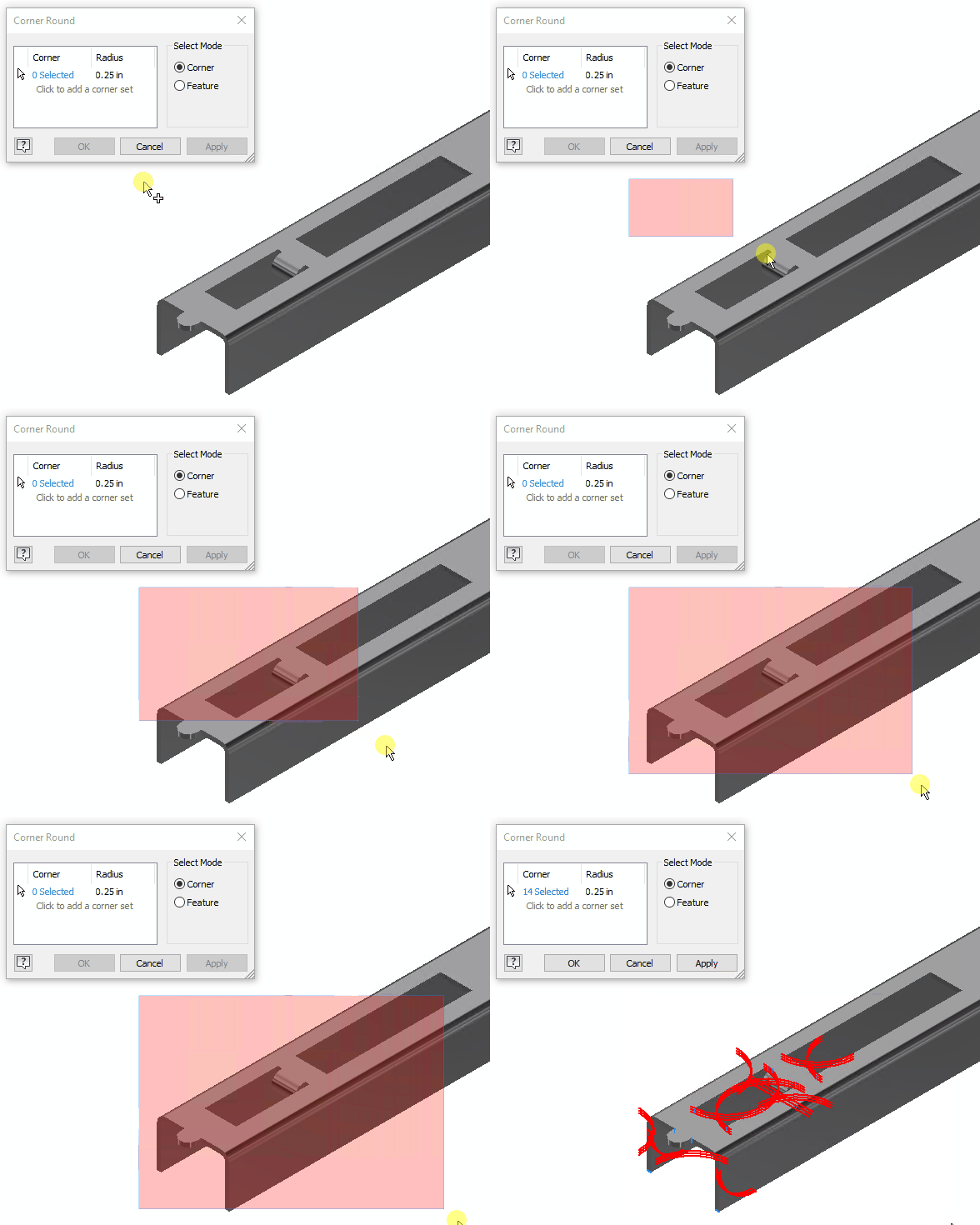
Previously, it was necessary to select corner edges one by one when rounding and chamfering corners using the Corner Round and Corner Chamfer commnads. Now, you can use the window select method to select the edges for rounding and chamfering.

Preview of Combine command
The standard Realistic Preview option is added in the top right corner of the Combine panel. Design results are displayed in the canvas before you click OK. By default, this new preview is enabled.

For more information see To Combine or Split Bodies and Faces.
Sort order for objects
Use the new Sort drop-down to specify the order of the tree nodes including parameters. It is added to the following dialogs:
- Export Objects
- Derive Part, Derive Assembly
- Link Parameters from Parameters dialog
You can specify the list of objects by choosing alphabetically ascending, alphabetically descending, or using the default settings.

For more information see To Create a Derived Part or Assembly, To Export Objects Before Deriving, Make Part Reference.