Setting a default manipulation mode for objects
You can specify a default manipulation mode (Translation, Rotation, or Scaling) for any object, so that when you select the object it is automatically set to the preferred manipulation mode.
To set a default manipulation mode:
Select the object in the Viewer window.
In the Properties window, expand Transformation Options.
From the Default Manipulation mode menu, select a manipulation mode that you want to be active whenever you select the object.
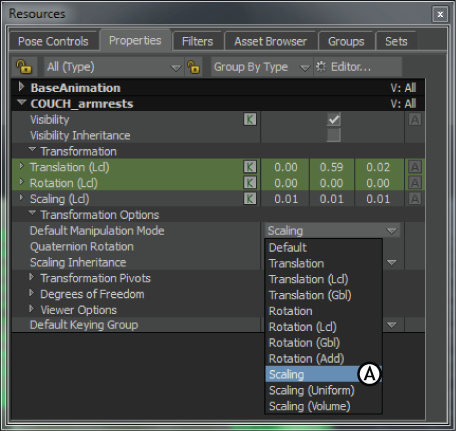
Properties window A. Setting a model’s Default Manipulation mode to Scaling.
Note: This mode is overridden whenever a new manipulation mode is selected.