Render Settings Preferences - Advanced tab
In the Menu Bar, click Edit > Preferences, then on the left side of the dialog box, select Render Settings. After making any changes, press Apply and OK to save them.
Cluster
Enable cluster mode and enter hostnames to be used to render the scene. The default is localhost.
Snapshot
Enter a path for where snapshots will be stored. Click the icon to the right to browse to a location.
Signature
Create a signature to be added to each video or image you produce. The signature format is:
filename -date -time -comment
Add Signature - Adds a signature to each video or image, when enabled.
Use the remaining controls to format your signature and customize what information gets included.
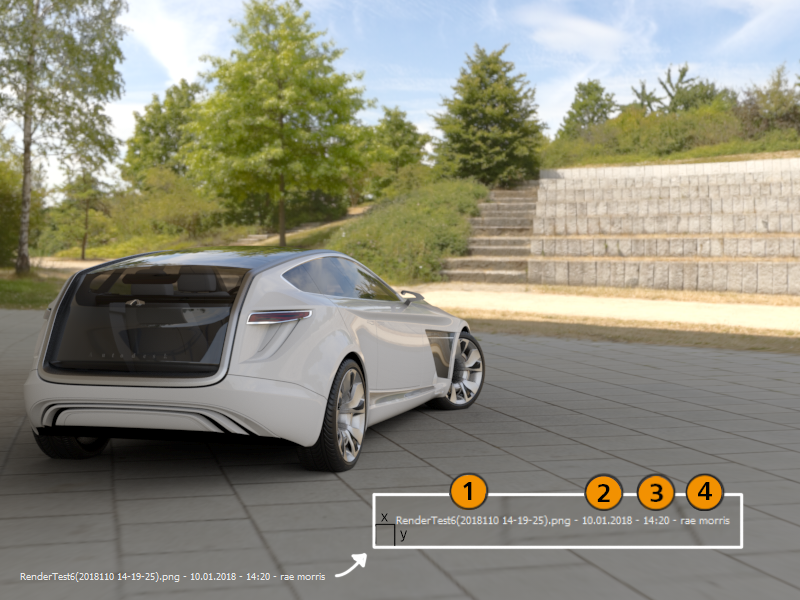
Position x/y - Sets the distance of the signature from the lower left corner of the output.
Color - Sets the color of the signature text. Use the slider to select the color.
Comment - Adds a comment to the signature, when enabled.
Add Filename - Adds the filename to the signature, when enabled.
Add Date - Adds the date to the signature, when enabled.
Add Time - Adds a timestamp to the signature, when enabled.