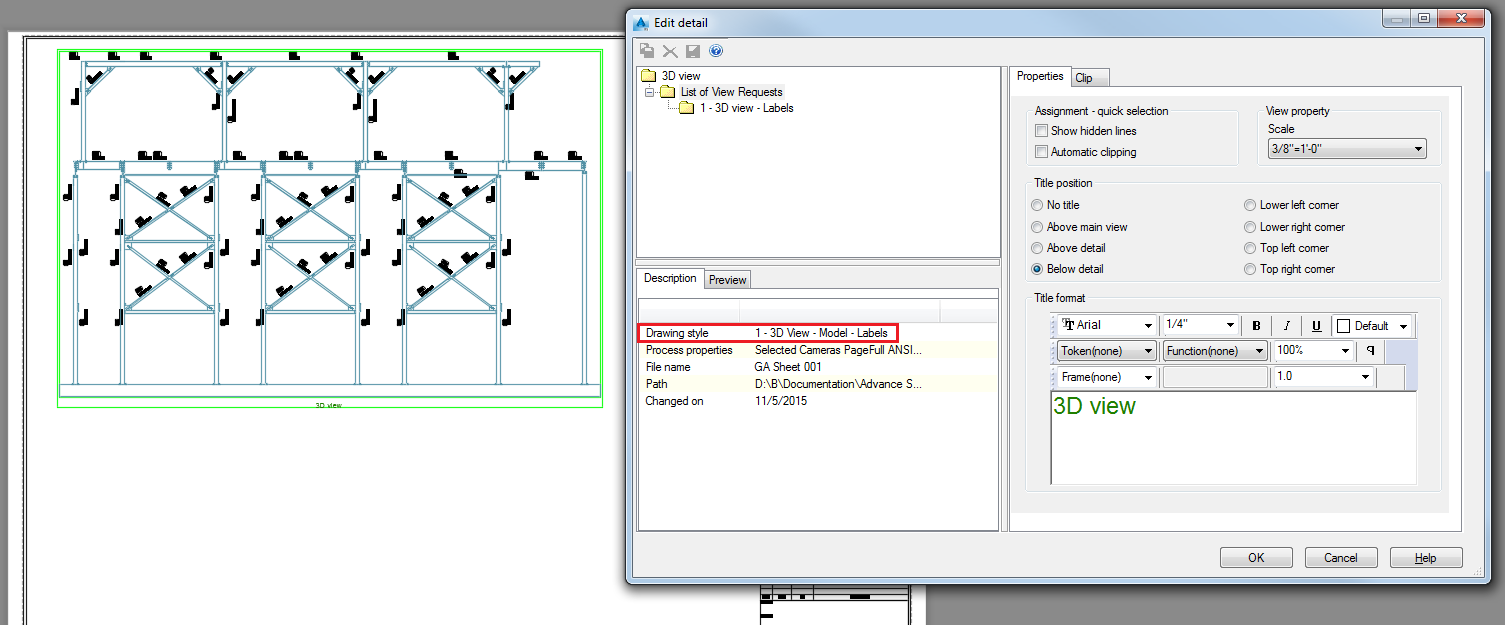
You can create a view, using a drawing process from either the Drawing Processes Palette or from the Drawing process manager.
- Double click on the camera.
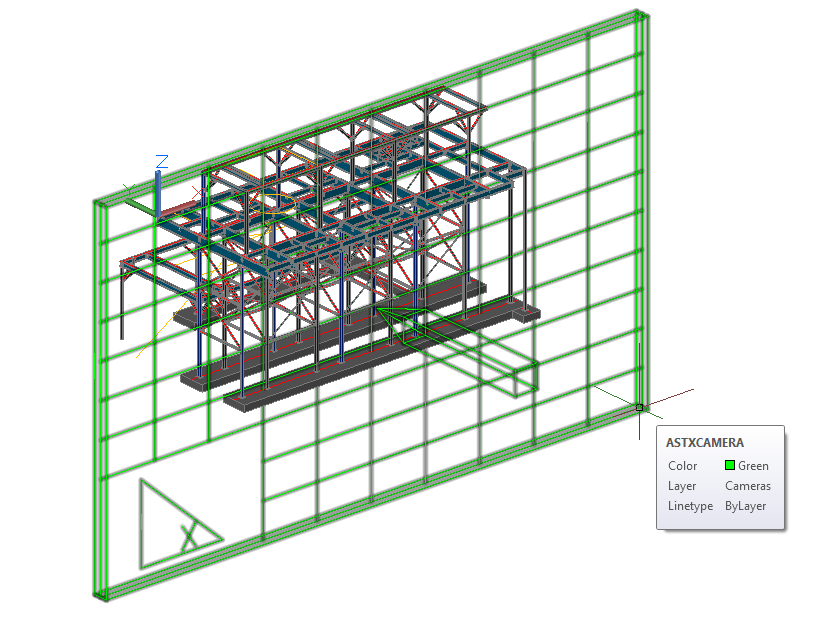
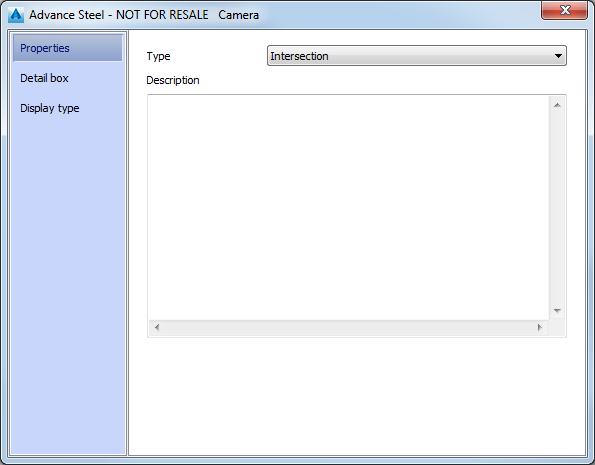
- The Camera dialog appears.
- In the
Properties tab, from the
Type drop-down menu, select
Intersection.
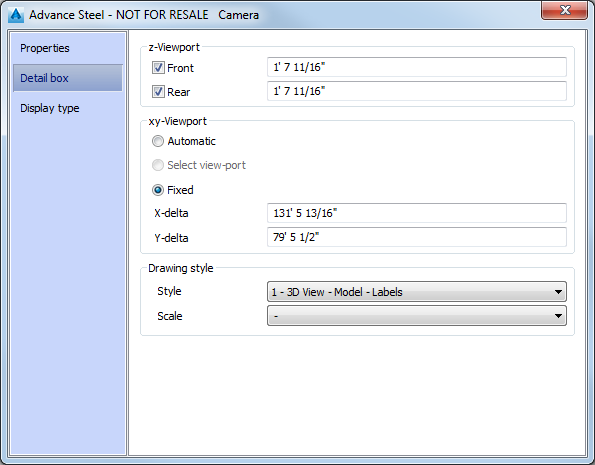
- In the
Detail box tab,
Drawing style section, from the
Style drop-down menu, select
3D View - Model - Labels.
- In the
Properties tab, from the
Type drop-down menu, select
Intersection.
- In the model, select the camera.
- Access the
 Drawing process manager, in the
Output tab,
Document Manager panel.
Drawing process manager, in the
Output tab,
Document Manager panel.
- In the
Drawing Process Manager window, go to
User >
Drawing Processes >
Cameras >
Selected Cameras PageFull ANSI-E. In the
Main definition tab >
Drawing styles section, select
Cameras from the drop-down menu.
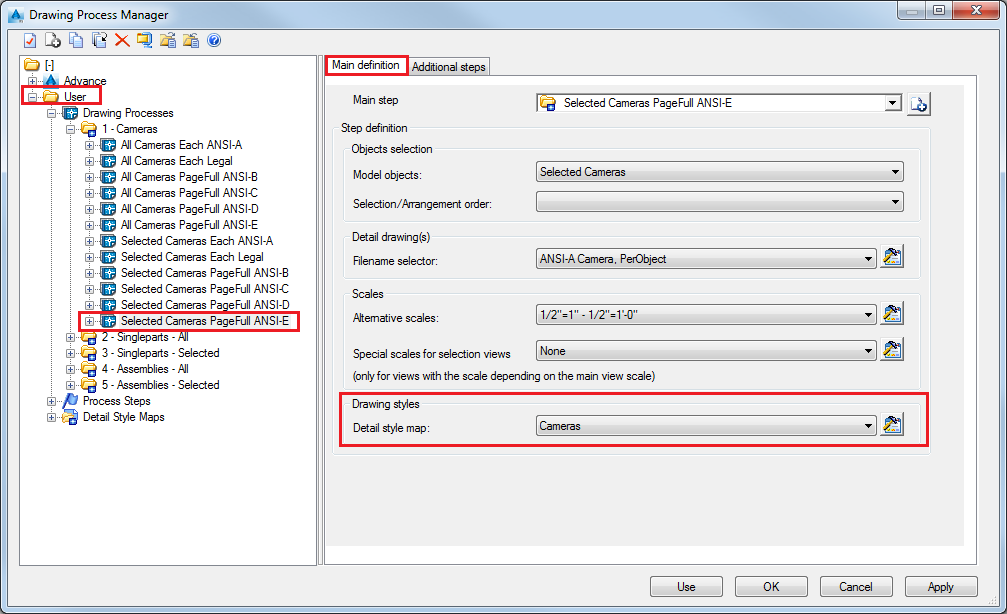
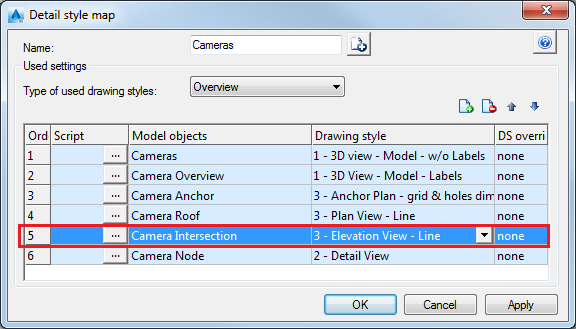
Note: Click the (Properties) icon on the right of the drop-down menu to see the
Detail style map of the current drawing process. Notice that the drawing style used in this process for
Camera Intersection is
Elevation View - Line.
(Properties) icon on the right of the drop-down menu to see the
Detail style map of the current drawing process. Notice that the drawing style used in this process for
Camera Intersection is
Elevation View - Line.
- Click Use in the Drawing Process Manager window.
- Click OK in the Process properties dialog.
- Open the
 (Document Manager), from the
Output tab.
(Document Manager), from the
Output tab.
- From the
Document Manager window, open the created detail drawing.
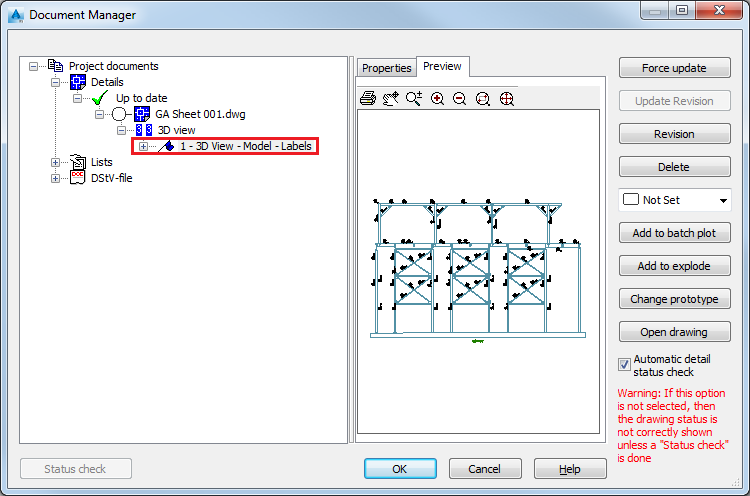
Your detail is created using the drawing style set in the Camera dialog (3D View - Model - Labels) and not the one present in the process detail map (Elevation View - Line).