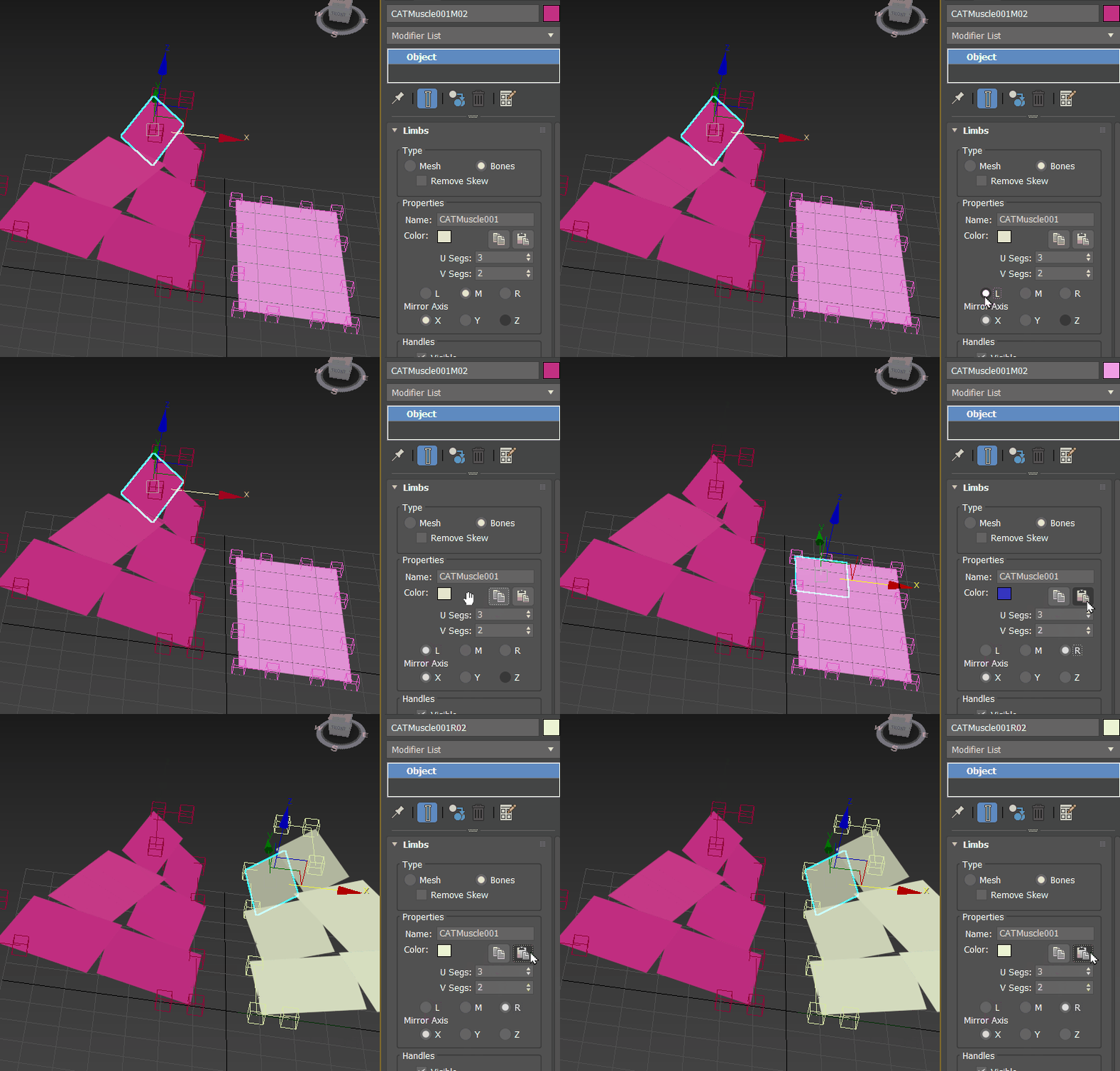
Mirroring an existing CAT Muscle example
Sometimes, when you mirror CAT Muscles the pivots rotate incorrectly. If this occurs, use the procedure below as a work-around:
To copy/paste CAT Muscle properties between left and right muscles
- Once you have the muscle that you are going to mirror (the Source muscle), create a
second muscle with same number of U and V segments to be the Target muscle.
Important: Do not clone the Target muscle.
- Select a panel on the Source Muscle. In the animation above, the LMR (Left/Middle/Right) Muscle properties are set to L (Left).
Note: Make edits to the Muscle settings in the Modify panel.
- Click the Copy Muscle Settings
 button.
- Next, select a panel on the Target muscle and set LMR (Left/Middle/Right) Muscle properties to the side you want to mirror. In the animation above, the LMR (Left/Middle/Right) Muscle properties for the Target panel are set to R (Right).
- Click the Paste Muscle Settings
 button. The properties of the Source muscle are mirrored onto the Target muscle.
In this procedure, both CAT muscles, Source and Target, need to have the same number of U and V Segments (Segs). Otherwise the copying will fail.
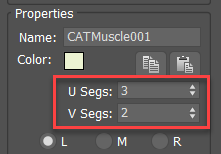
Muscle U and V Segs