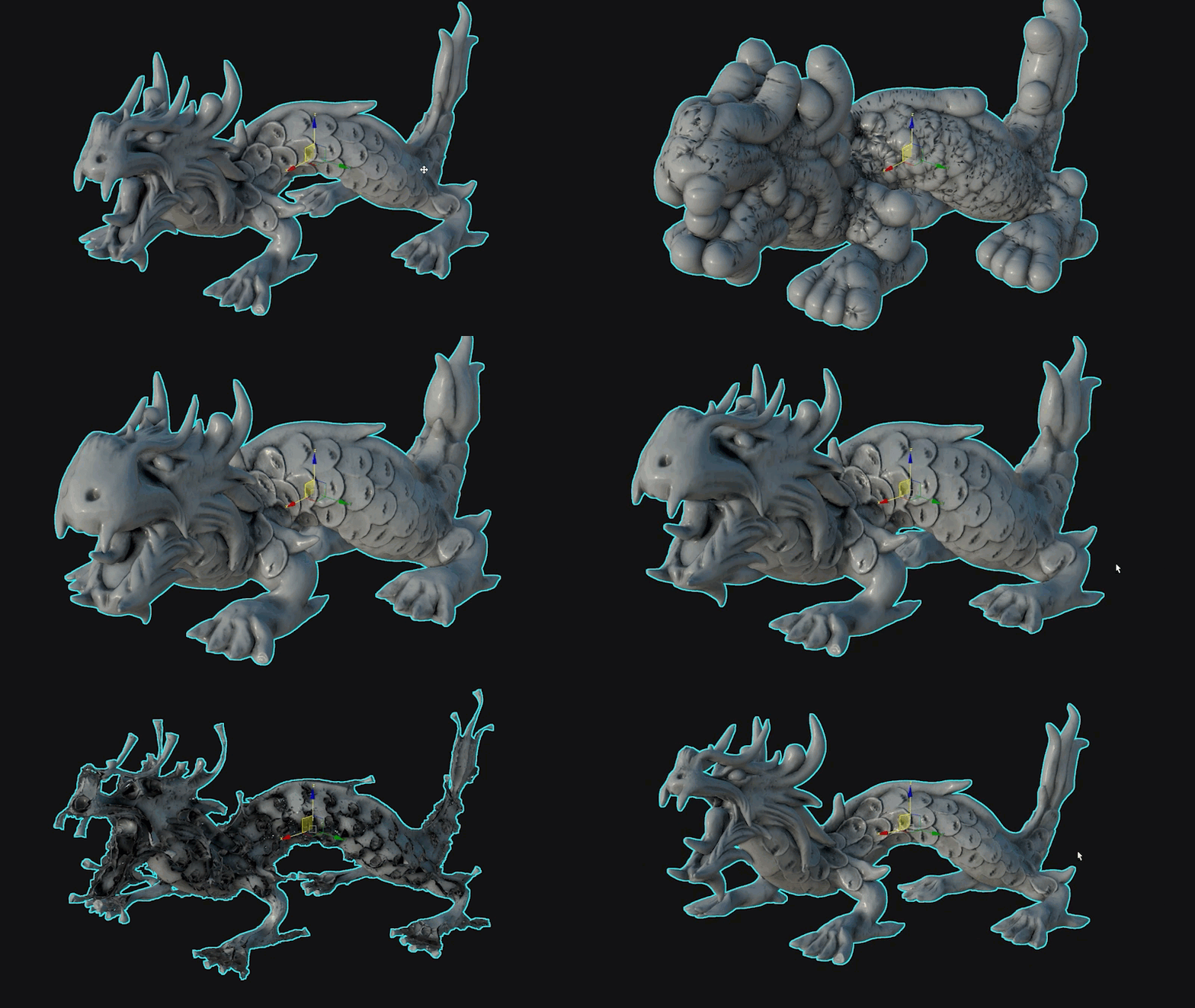
The Push modifier is a modeling tool that lets you "push" object vertices outward or inward along the average vertex normals. This produces an "inflation" or "deflation" effect.
The modifier is useful for creating shapes and forms that would otherwise be difficult to create on their own, while producing clean and visually appealing results.
-
 Modify panel > Make a selection. > Modifier List > Object-Space Modifiers > Push
Interface
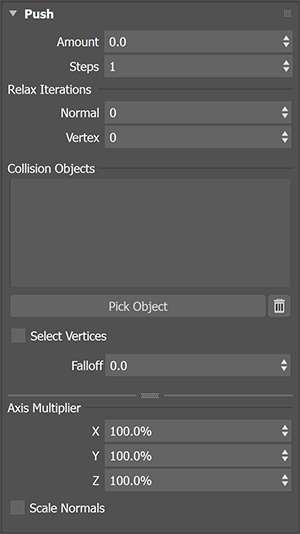
Push
- Amount: Sets the distance in display units by which vertices are moved with respect to the object center. Use a positive value to move vertices outward, or a negative value to move vertices inward.
- Steps: Increases calculation time, but captures a more accurate end result. The normals will be calculated each step against the Amount value.
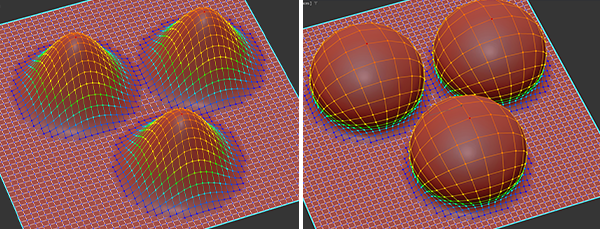
The example image on the left shows the Push modifier Amount being increased with Soft Selection on and the Steps at 0. The image on the right shows what happens when you increase the Steps to 50.
Relax Iterations
- Normal: Relaxes the mesh based on its normals, preventing issues, such as self-intersection, and ensuring a cleaner appearance.
- Vertex: Relaxes the mesh based on vertex position.
Collision Objects
- Use the Pick Object button in the modifier to select objects in the Scene Explorer or Viewport that the mesh will recognize as it pushes out from its original location. When the mesh collides with these objects, it stops moving in that direction.
- Select Vertices: When active, vertices that have had their push amount limited by a Collision Object will be selected and passed up the stack.
- Falloff: Adjusts the falloff distance from the vertices that are chosen when Select Vertices are active. On the Push modifier, these vertices will be shaded in the viewport.
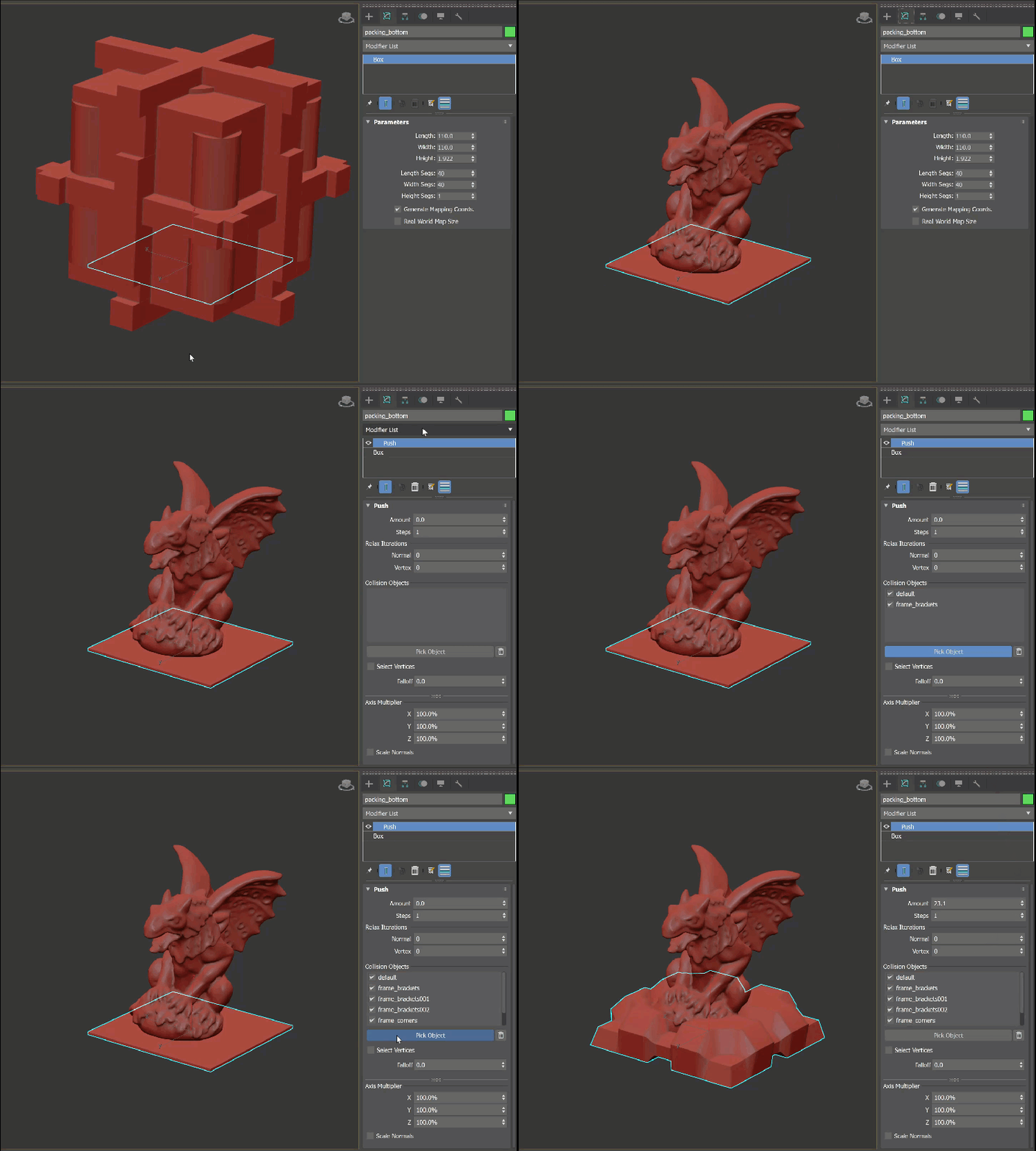
In the example above, we used the Push modifier's Collision Objects feature with other geometry to create a "packing foam-like" shape around a gargoyle statue.
Axis Multiplier
- Use the X, Y, and Z values to scale the object's mesh data.
- Scale Normals: When active, instead of scaling the object's mesh data, you will instead limit how much the push amount can affect the axis between a value of 0 (no effect) to 100 (complete effect).
Push Modifier Example Workflow
To use the Push modifier:
- With an object in your scene and selected, go to the
Modify panel
> Modifier List
> Object-Space Modifiers and select the
Push modifier.
- Increase or decrease the push Amount to achieve your desired effect.
- If the effect causes self-intersecting results, use the Relax Iterations Normal (and/or Vertex) to "smooth out" the push and restore some of your object's form.