Information Window

Shows or hides the Information window, which lets you view and edit various properties of the picked objects. For example, it displays object transform and pivot details and more.

In the Information Window, you can:
Show information about an object even when it is not picked: Pick the object, then click the pin
 icon next to the name of the object. The object will be shown in the information window whether or not it is picked. To get rid of the information, click the pin icon again.
View object properties: The Information window always displays the information for the picked objects.
Tip: When more than one object is picked, the different objects are displayed under collapsible headings with their names.Edit information about an object: Checkboxes can be set and unset to change the visualization of data. Information in white/black/dark blue cells can be edited, respective to Alias color themes.
Tip: For transformable objects such as curves, surfaces, lights, and more, you can transform the selected object directly from the Information Window. Under Transform Info, select Manipulate to display the transform manipulator on the object in the scene.
When the Information Window opens, it shows information about the picked objects:
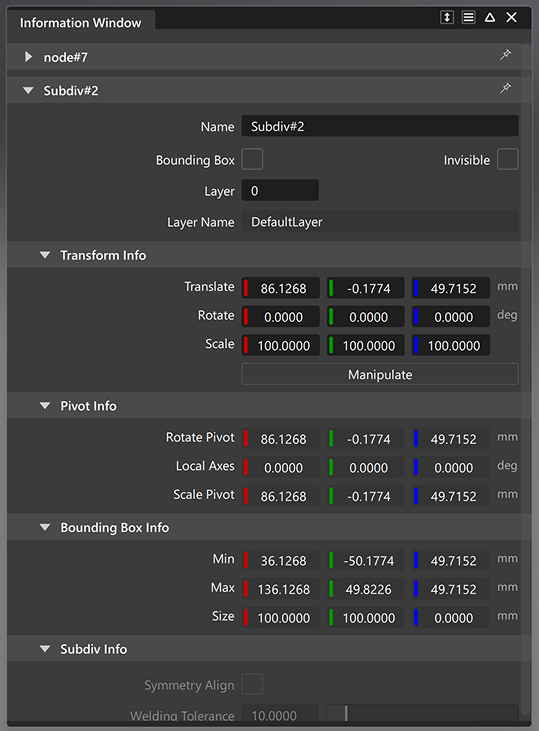
Checkboxes can be set and unset to change the visualization of data. Information in white/black/dark blue cells can be edited, depending on your Alias color theme.