Categories Lister
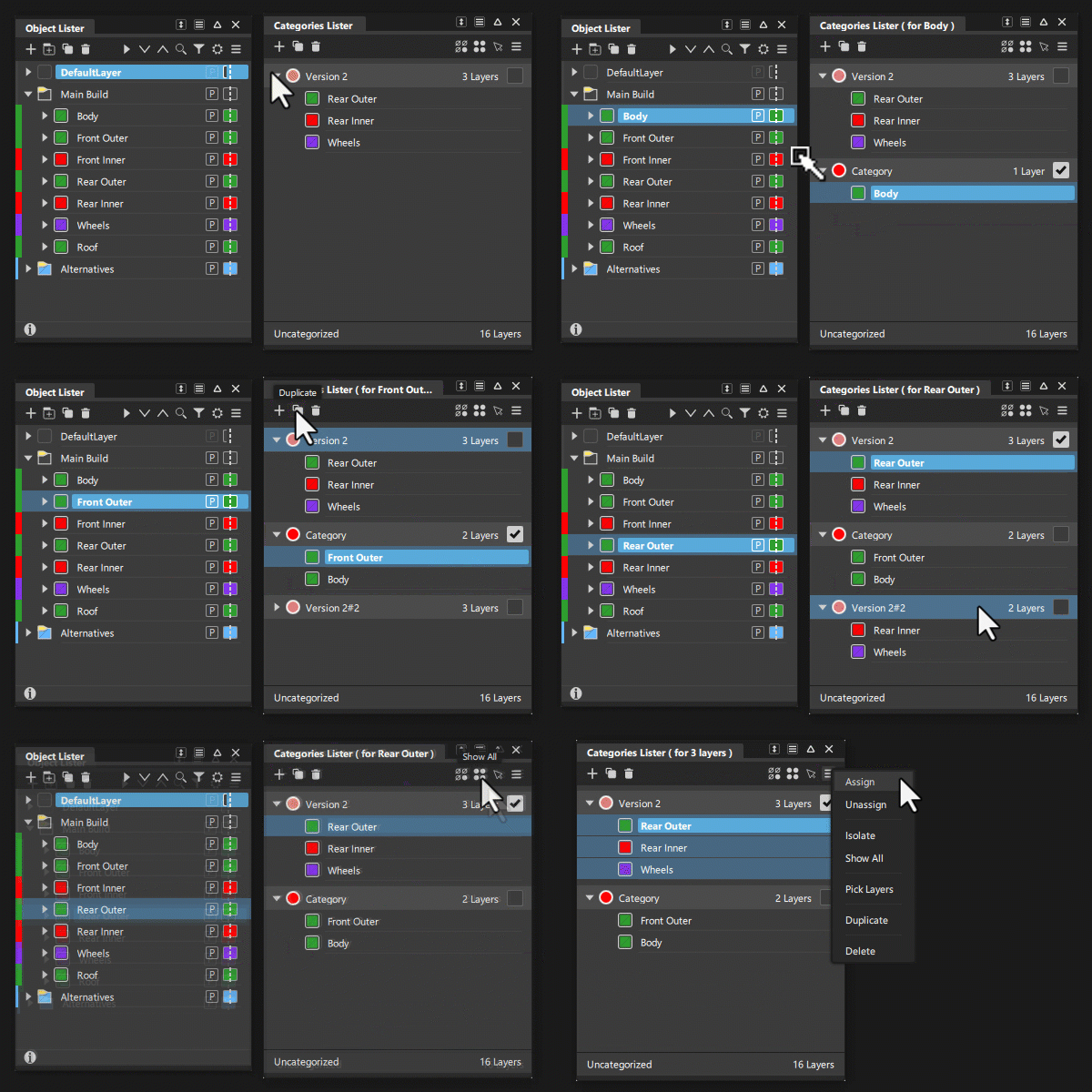
Opens the Categories Lister, which let you organize multiple layers into groups called categories. This is useful if you often apply specific commands to one or more modeling layers.
As a category, it is easier to select and apply these commands to one or layers at the same time.
You can also open the Categories Lister from the Object Lister by right-clicking a layer folder or layer, and then selection Set Category > Open Categories Editor.
Category Editor icon bar
These options are also available from the More menu and by right-clicking a category and selecting them from the context-menu.
 - New Category - Creates a new empty category if the Default construction layer is selected. If a layer or object is selected, a new category is created containing the selected layers.
 - Duplicate - Duplicates the selected objects, Layers and Layer Folders. When a layer is selected all of its contents are also duplicated. (Also available in the More and context menus.)
 - Delete - Deletes the selected category. (Also available in the More and context menus.)
 - Isolate - Shows only the layers and objects of the currently selected category.(Also available in the More menu.)
 - Show All - Show all the layers and objects
 - Pick Layers - Picks the layers contained by the selected category. (Also available in the More menu.)
 - More - Access the More menu.
Categories Lister Workflows