Animation
Improvements to Animation, including new keyframe indicators, better keyframe selection and filtering options, and quick expressions.
Flame Learning Channel: 7 Animation Improvements in 2023.1
 Indicates a feature suggested and voted up by users on the Flame Feedback portal.
Start End Indicators
The Curves and Dope Sheet canvases now display range indicators to show when a segment or setup starts and ends.
In the Animation menu, use Gear menu  Show Range Indicators to hide or show the range indicators.
Keyframe Indicator
The keyframe indicators found at the bottom of numeric fields are now displayed below the channels in Animation. Use these to quickly identify channels with a keyframe at the current frame (yellow bar), channels with keyframes but not at the current frame (blue bar), and channels without keyframes (no bar).
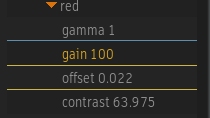
In the Animation menu, use Gear menu Show Keyframe Indicators to hide or show the keyframe indicators.
Numeric Field Context Menu
You can now easily reset a numeric field's keyframe or channel:
- Context menu Reset Keyframe (Default Value) : Resets the value to the field's default value, without deleting the keyframe. Available to channels with a keyframe at the current time.
- Context menu Reset Channel (Default Value) : Resets the channel to its default value. Available to channels that have a modified value but no keyframe.
You can also delete a channel's keyframes before or after the current keyframe.
- Context menu Delete: Delete All Keyframes Before and Delete All Keyframes After delete all keyframe of the selected field before of after the current keyframe. Available only for channels with keyframes when the positioner is at a frame with a keyframe.
Selection Improvements
There are two methods to select keyframes in the Animation canvas:
- Ctrl + drag: Drags a box across the canvas. Selects all keyframes, even from channels that are not selected.
- Ctrl + F + drag: Selects keyframes over a range of time in the canvas. Only selects the keyframes from the channels that are currently selected.
Ctrl + F + drag changes visually. This change makes it easier to use:
- The selection box is now yellow instead of the red used by Ctrl + drag.
- The height of the selection box now always matches the height of the Animation editor to show you are selecting keyframes over a range of time.
Improved Filters
The Name filtering criteria now also considers folder names. If a folder's name matches the filter, all its channels are selected in the channels list.
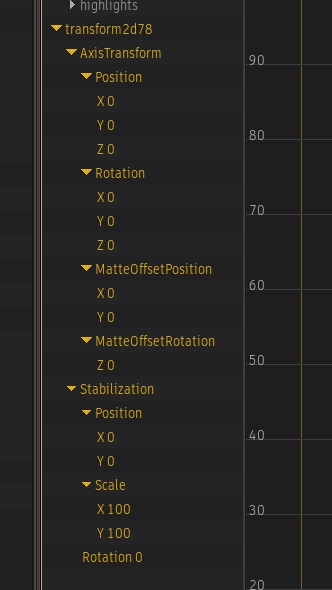
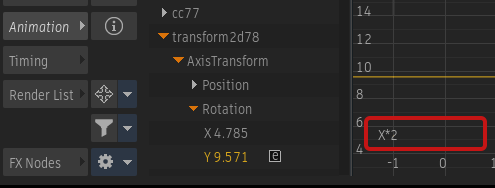
Expressions Improvements
You can now open the Expression field with a double-click on the
 icon.
icon.The current expression no longer overwrites the frame count at the bottom of the canvas.
Link Channel Options
You now have access to new link options anywhere the Link Channel option is available.
Context menu Link Special:
- Link and Negate Channel: Links to the channel, and add a minus sign at the start of the expression.
- Link and Add Channel: Links to the channel, asks for a number in the Calculator and then creates the expression:
channel+<number>. - Link and Subtract Channel: Links to the channel, asks for a number in the Calculator and then creates the expression:
channel-<number>. - Link and Multiply Channel: Links to the channel, asks for a number in the Calculator and then creates the expression:
channel*<number>. - Link and Divide Channel: Links to the channel, asks for a number in the Calculator and then creates the expression:
channel/<number>.
Frame a Single Keyframe
The channel framing rules have been adjusted for channels with a single keyframe.
- The X axis is now framed using the Setup Range section.
- The Y axis is now centred on the keyframe.
More Improvements
If  Automatic Framing is enabled, the top folder of an Action, GMask Tracer, or Image node is now automatically expanded.
If you select the default Animated filter, Audio and channels with Expressions are no longer hidden.