MasterGrade Improvements
Add control points to the Curves with a colour picker, enable or disable a menu with new LED buttons.
 Indicates a feature suggested and voted up by users on the Flame Feedback portal.
Curves Improvements
In addition to the Add Points mode, you can now add points with a colour picker.
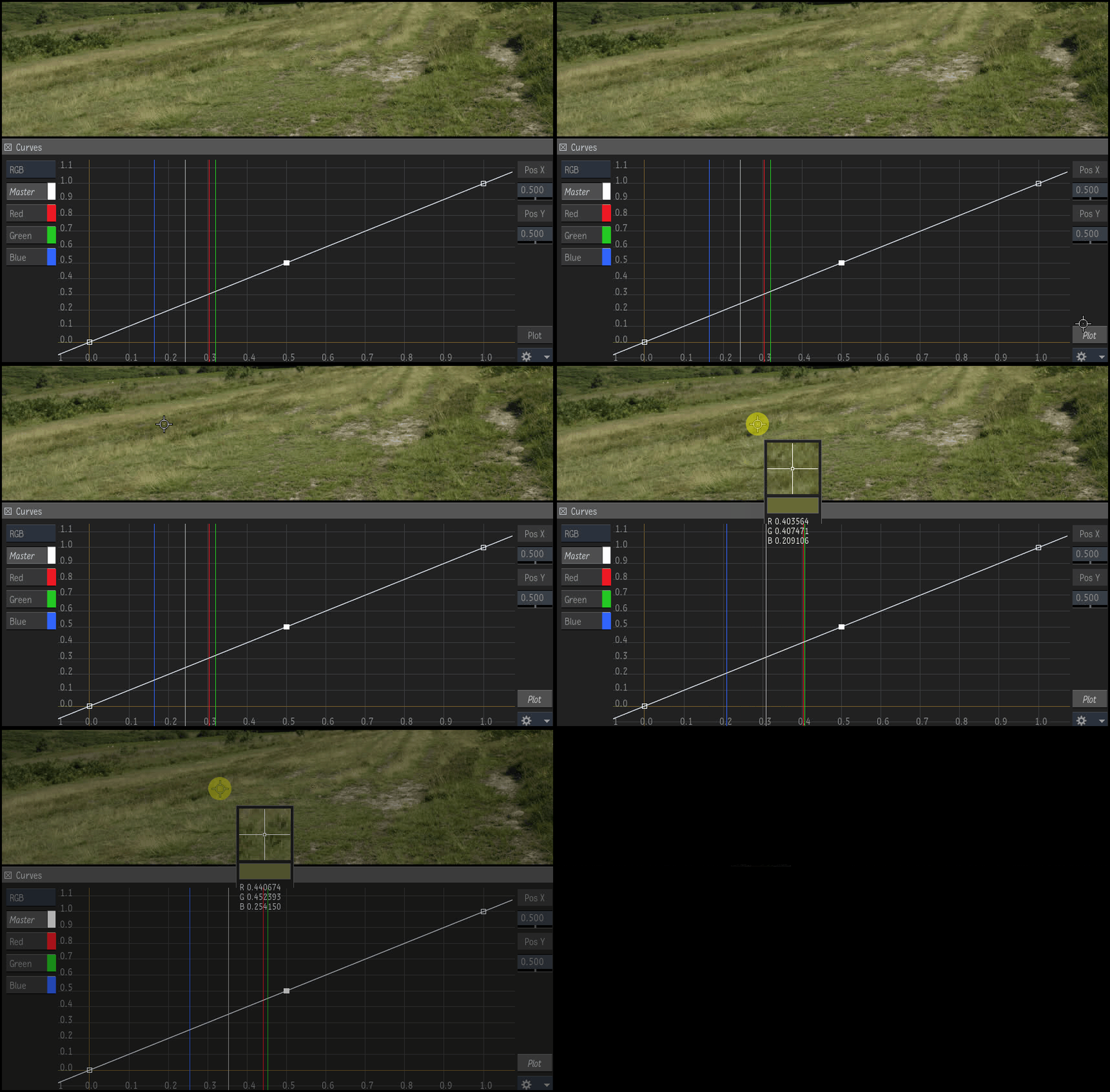
- Click Plot.
- Click and hold on the image to display the Colour Sampler.
- Scan the image for the right pixel. See in the Curves graph the sampling lines that indicate the current RGB values.
- Release the pointer to plot the RGB values of the pixel on the Curves graph. This adds points to the curves where the sampling lines are.
Tip: You can also define a keyboard shortcut. Search for Plot Pixel Colour in the Keyboard Shortcut Editor.
To see the sampling lines: Click  and select Show Colour Samplers.
You can now display the Curves widget in a free-floating window:
Open the Curves menu.
Click Open (
 ).
).You can move and resize the Curves window.
Zoom on control points
To zoom in on control points:
- Select points on the RGB curves. Use Ctrl+click or Shift+click to select the points.
- Click
 Frame Selected.
LED on Menu Buttons
New LED buttons on the Primary, Tone, and Curves menu buttons indicate if a setting was modified in that menu.
To enable or disable a menu:
- Click the LED.
| Menu | Menu button LED status | |
|---|---|---|
| Enabled |  | This menu contains edited settings, and these settings are applied to the image. |
| Disabled |  | This menu contains edited settings, and these settings are not applied. |
| Default |  | This menu does not contain any edits. |