Manipulate labels in the graphics window
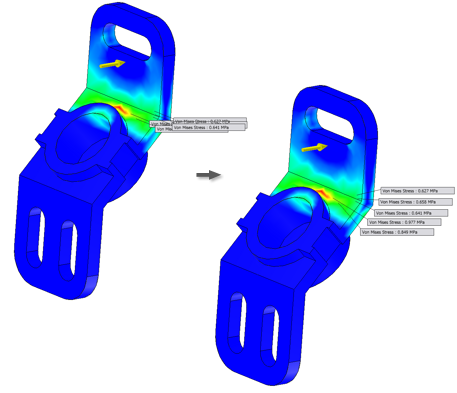
Manipulate labels in the graphics window, including labels associated with result probes, and min and max values, to better view and present simulation information. You can change the initial distance at which labels are placed, drag labels, and reset the position of labels.
Initial label placement
As appropriate, you can define the initial displacement distance of the labels relative to where you click in the model:
On the ribbon, click Frame Analysis tab
 Settings panel Frame Analysis Settings
  .
.On the General tab, change the Initial Label Placement Distance setting as a percentage of the diagonal of the model bounding box.
Note: Changes to the setting do not affect the position of existing labels.
Move labels
In the graphics window, individually- or multi-select the appropriate labels.
Click one of the selected labels and drag to the new position.
Note: To cancel the operation and return labels to their previous location, press ESC while dragging.
Reset label positions
Reset selected labels to their initial placement:
- In the graphics window, individually- or multi-select the appropriate labels.
- Right-click and select Reset Position.
To reposition all labels in the graphics window, right-click any label, and select Reset All Positions.