To Change the Electrical Catalog Database
Define the primary catalog database.
The Electrical Catalog Browser defaults to the default_cat.mdb file installed with AutoCAD Electrical. You may want to reference a different catalog database from the Electrical Catalog Browser, for example a project specific catalog database.
If the Electrical Catalog Browser is not open, click Assembly tab
 Component panel Place drop-down Electrical Catalog Browser.
Click
 .
.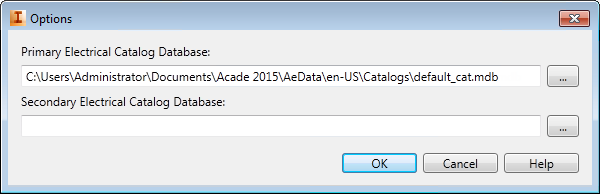
 Click the browse button next to the Primary Electrical Catalog Database edit box.
Locate and select the electrical catalog database you want to use as the primary catalog database.
Click OK.
Note: The catalog database must follow the expected catalog database structure.