To Define a Secondary Electrical Catalog Database
Browse to and select an optional secondary catalog database.
If the Electrical Catalog Browser is not open, click Assembly tab
 Component panel Place drop-down Electrical Catalog Browser.
Click
 .
.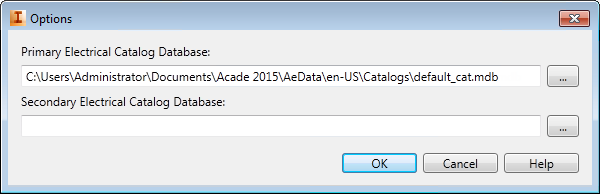
 Click the browse button next to the Secondary Electrical Catalog Database edit box.
Locate and select the electrical catalog database you want to use as the secondary catalog database.
Click OK.
If you want the Electrical Catalog Browser to search the secondary database, select Search Database: Secondary.
Note: The catalog database must follow the expected catalog database structure.