Parts Enhancements
Check out the newest enhancements to the Part Environment.
Purge Unused Sketches and Work Features
Selectively remove unused work features and sketches using the new Purge Unused command. A list of unused work features and sketches displays and you can select only those you want to purge. Selections highlight in the canvas.
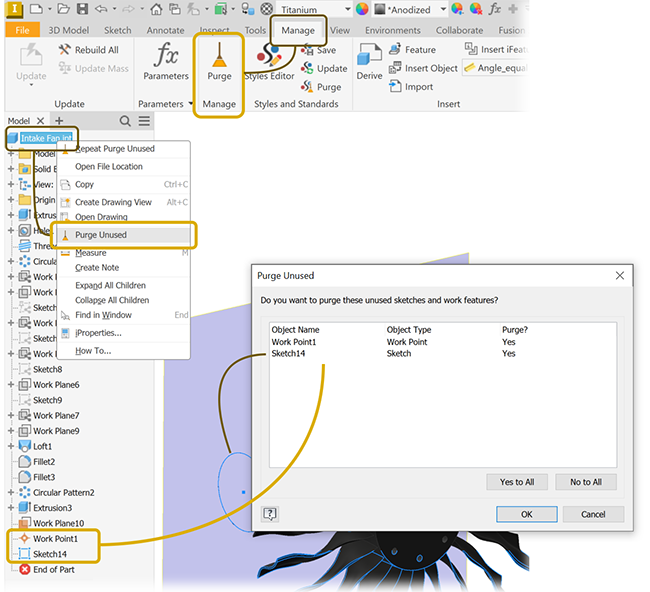
For more information see Manage the Model Browser.
Exporting Planar Faces
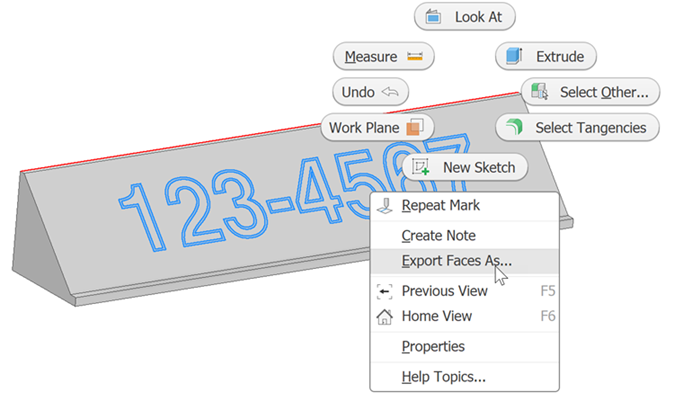
The Export Face As command now supports exporting either individual or multiple faces at one time. When you have multiple coplanar faces selected, the export option displays in the selection context menu.
Mark Feature
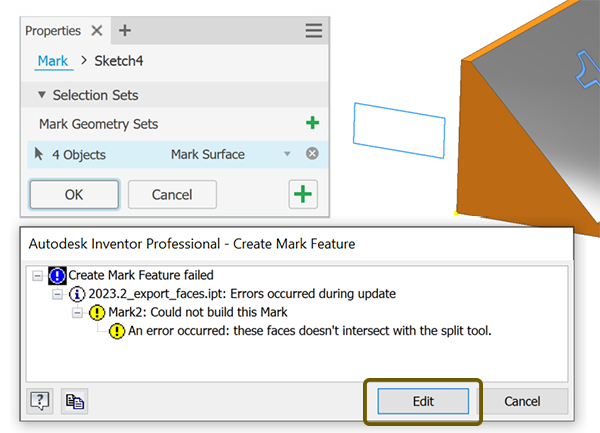
Some conditions can result in an error message, for example, when an edit causes sketch geometry to no longer lie over model geometry. When that occurs, you can edit the sketch from the error dialog and quickly resolve the issue.
Feature Patterns
The feature pattern commands, Rectangular and Circular, now have a selector flyout that gives access to the Origin axes.
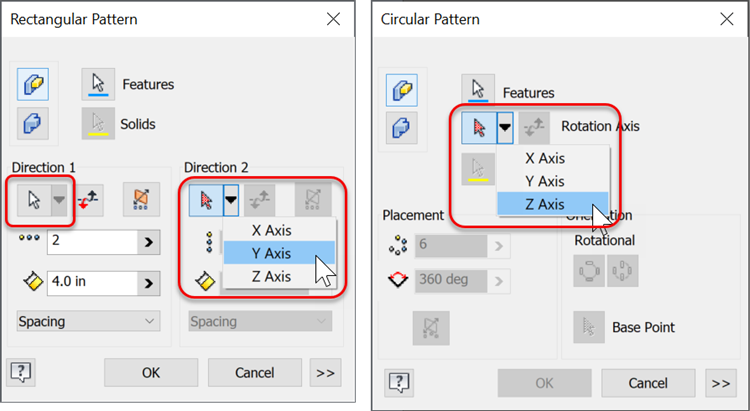
For more information see To Arrange Part Features in Patterns.
Shortcut Keys in the Context Menu
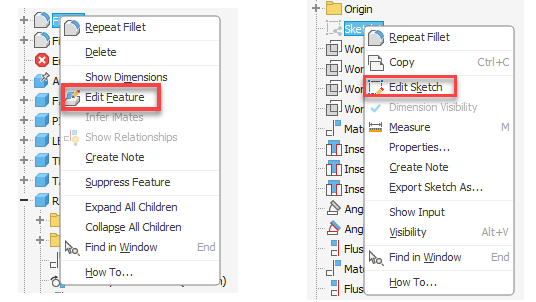
It is now possible to use the shortcut keys in the context menu to edit sketches or features directly. Select a feature or sketch, right-click and use the shortcut key. The following shortcut keys are available:
- K Edit Sketch
- F Edit Feature
Flat Pattern DXF/DWG Export Improvements
Working with sheet metal and exporting sketch text has been improved to better support post-export editing.
- Flat pattern DXF/DWG export now exports sketch text as a text object that can be read or edited within DXF/DWG environment.
- Flat pattern DXF/DWG export now exports parameter and property values as text objects.
- Text within sketch blocks are exported as text objects.
 An Inventor® Forums submission
An Inventor® Forums submission
An Inventor® Forums submission
An Inventor® Forums submission
For more information see About Export of Faces and Sheet Metal Flat Patterns