Model State Enhancements
Learn about updates to the Substitute model state user interface and in-product messaging.
Substitute Model States
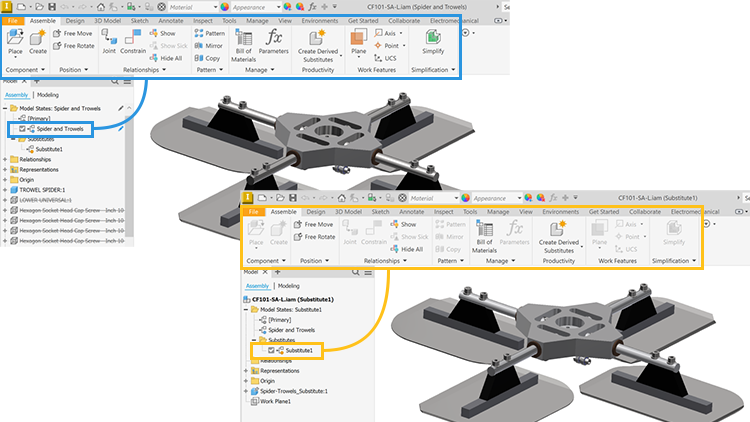
When a Substitute model state is active, the following commands are disabled:
In the Ribbon
- Place iLogic Component
- Analyze Interference
- Activate Contact Solver
- Convert to Weldment
Component context menu
- Demote/Promote
- Replace from Content Center...
Dynamic Simulation displays a message explaining the model state, a substitute, has no moving bodies.
Frame Analysis displays a message explaining the need to switch to a non-substitute model state.
For more information, see About Model States.