Drawing Enhancements
Check out the enhancements for the Drawing environment.
Parts List
Locate parts using the parts list. In a drawing parts list you can:
- Select a single row in a parts list and in the canvas and browser, the components cross-highlight. Use Ctrl+click to select multiple rows and see the components highlight in the canvas and browser.
- Double-click a row in a parts list to open the component model.
- Double-click when the parts list is highlighted to edit the parts list.
- Place the cursor over any row in the parts list and all visible occurrences associated with that item highlight in the view and browser.
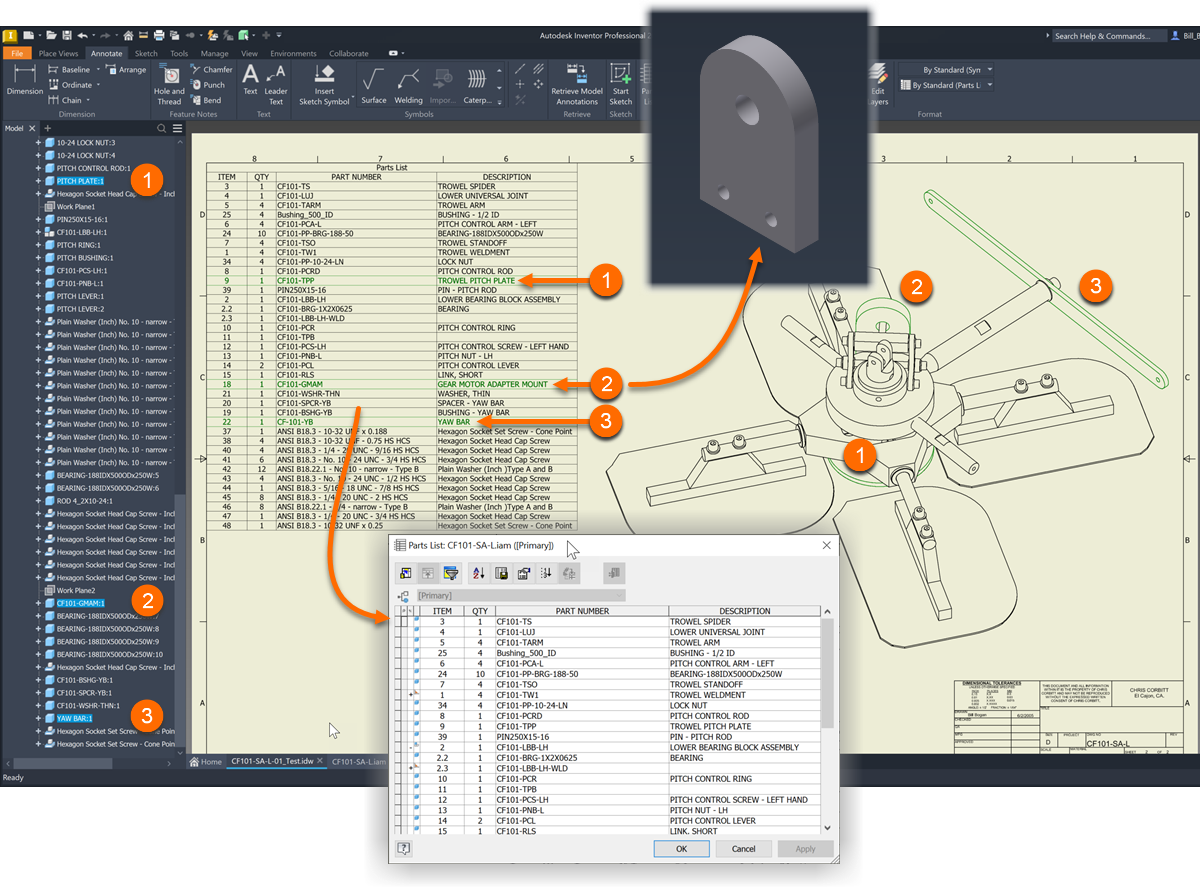
For more information see About Parts Lists.

Drawing Views
Drawing view labels are able to be repositioned to the default location. Right-click a drawing view and select Restore View Label.
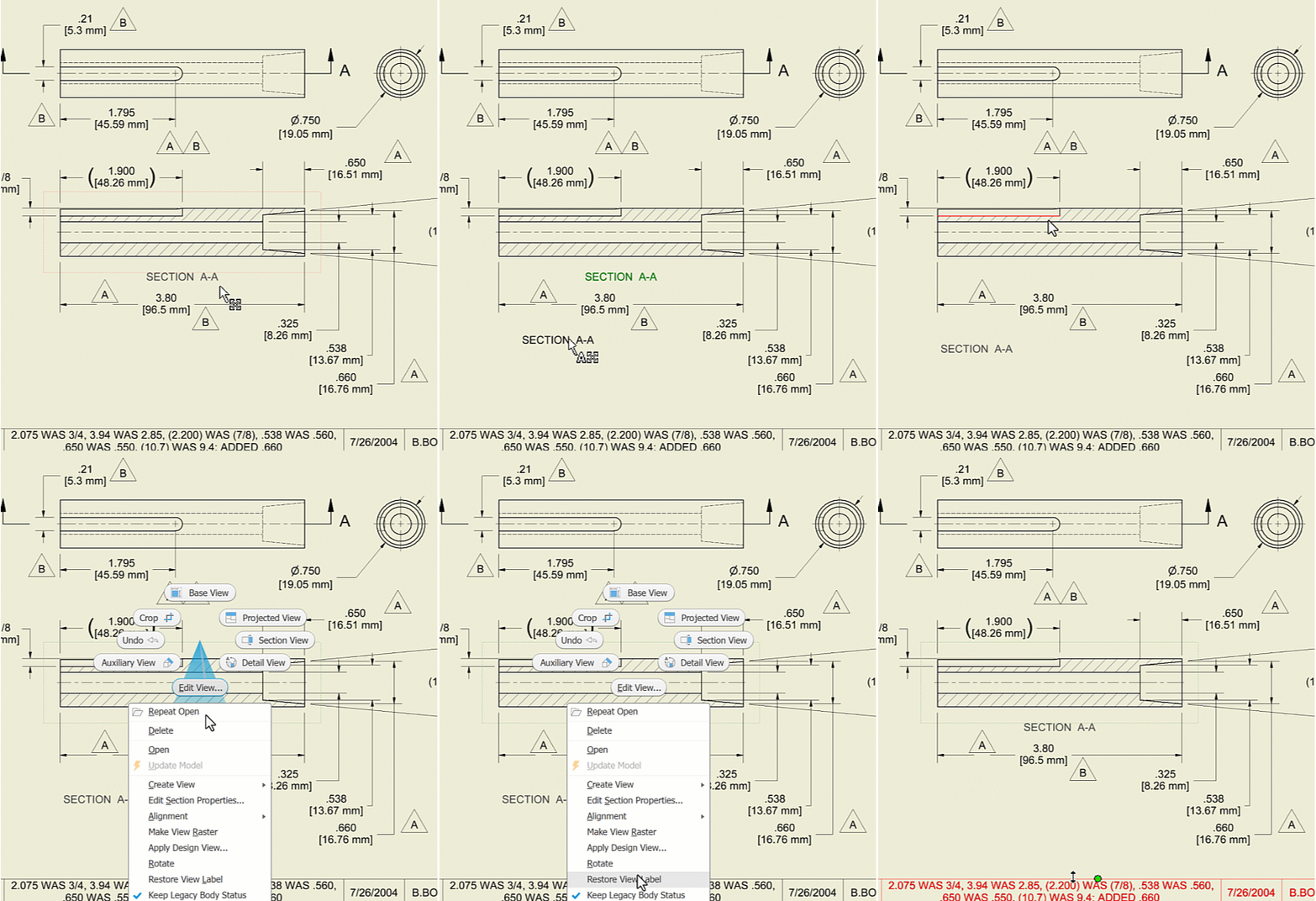
For more information see To Work with Drawing Views.
Fix Detail View
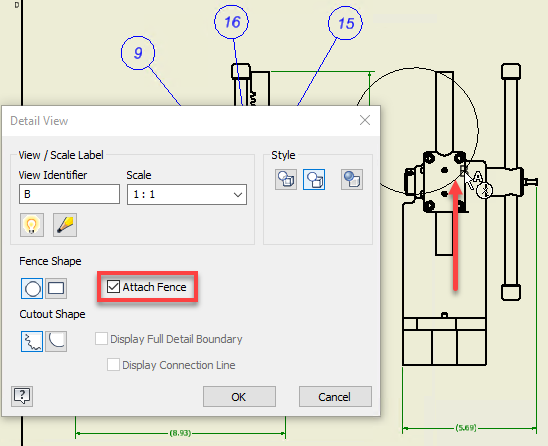
It is now very easy to fix a detail view to a point during creation. Check the newly added "Attach Fence" box in the Detail View dialog, and select a point to fix the detail view to.
For more information see To Create and Edit Detail Views.
Break View Settings
The last used values for the "Gap" distance, "Symbols" list box and the "Propagate to parent view" check box setting are now stored and automatically used the next time you use the break link command.