General Enhancements
Check out the enhancements that span all Inventor environments.
Home Enhancements
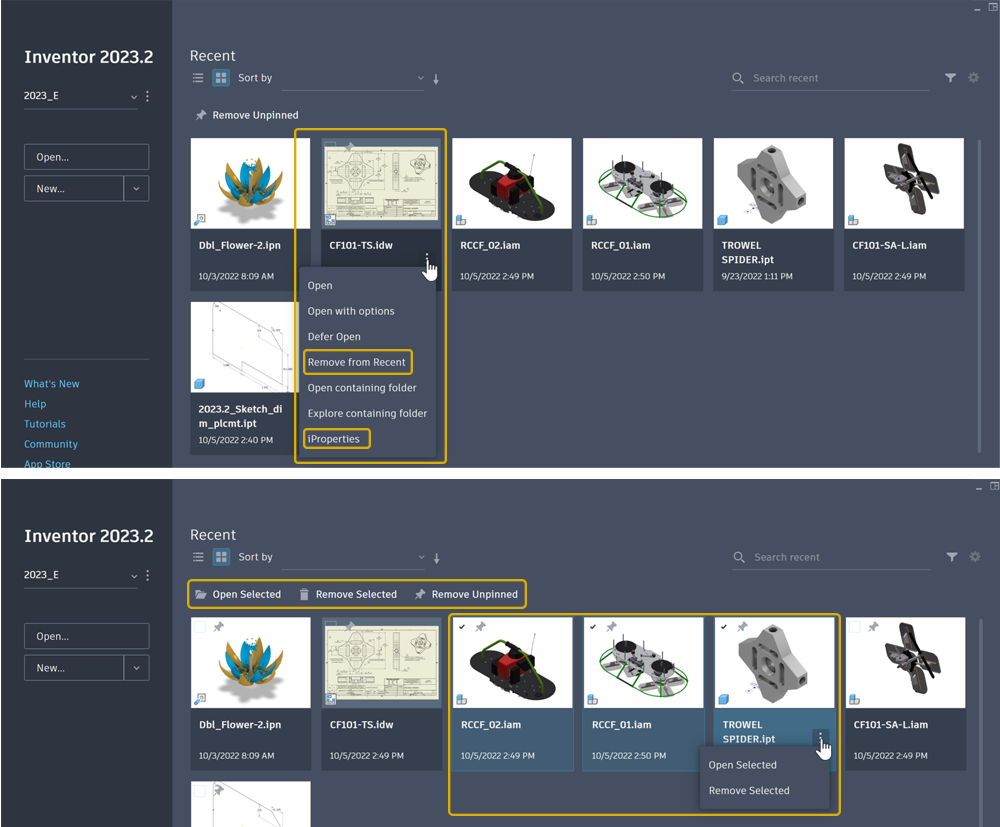
When a single file is selected:
In the file context menu, "Remove from list" changed to Remove from Recent.
In the file context menu, you can access iProperties.
- Non-vault projects are supported.
- User-defined properties are supported.
- Vault properties are supported if the active project is a Vault project, Vault add-ins are loaded, and if logged into Vault. New files not yet put into Vault are not included in the Vault workflow.
When multiple files are selected:
Opening or removing multiple files is supported. Select the check box in the upper left corner (or to the left in the list view) to select a file.
Note: In the grid view, Ctrl+click and Shift+click for selection are not supported. They are supported in the table view.Search supports Name, Location, and iProperties strings.
After a search has been performed, the search text is remembered when switching between Projects and the Recent list.
In the list view:
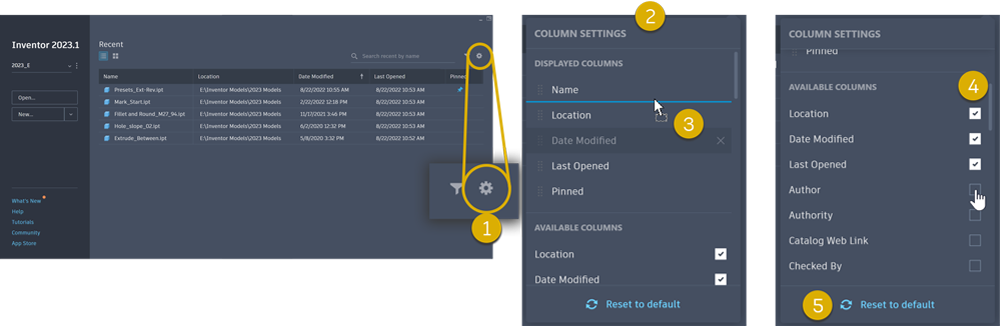
- Click Configuration (gear icon) to access Column Settings. Name and Pinned are persistent columns.
- Column Settings provide access to column order and visibility.
- Drag and drop a column to reorder where it appears in the Home interface.
- Select the columns that display, choosing from iProperties and Pinned.
- Reset the column display and order.
For more information see About Home.
GPU Ray Tracing
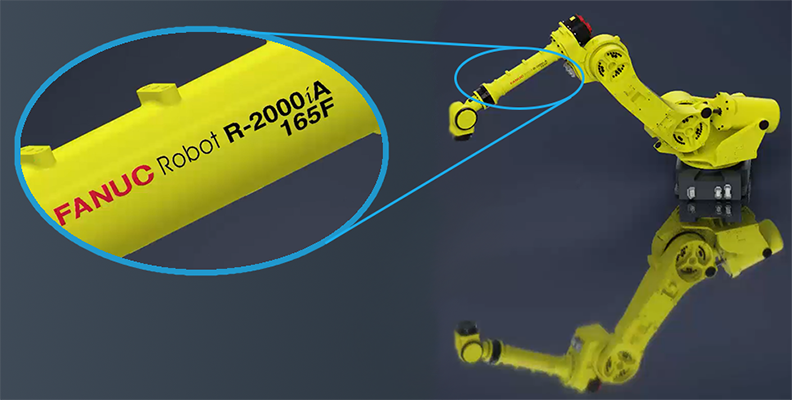
GPU Ray Tracing support for decals, ground shadows, reflection, and section views is added.
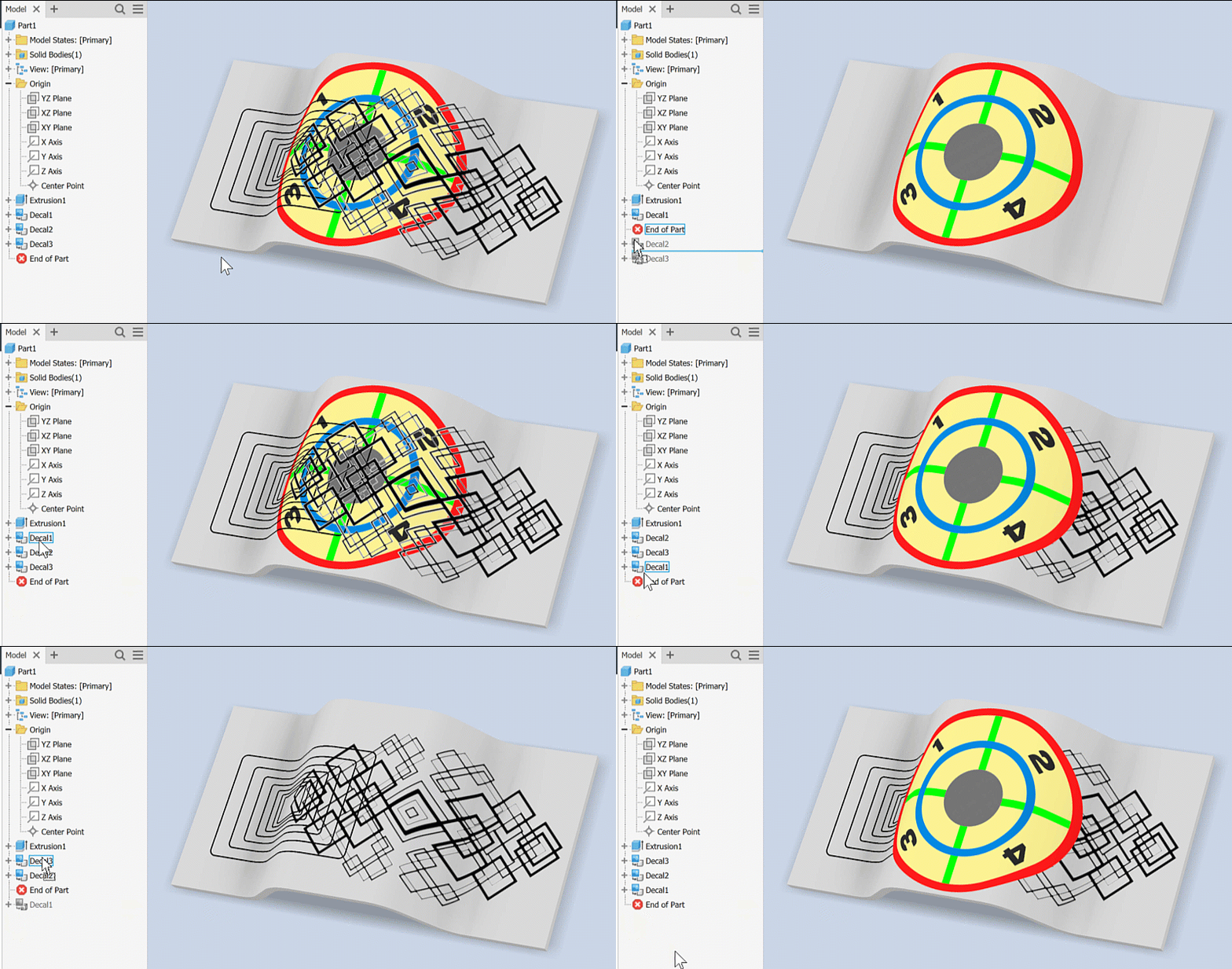
When overlapping decals the model tree position controls the display priority of decals.
For more information see To Work with Ray Tracing
iLogic Enhancements
String Replace for iLogic Design Copy
You can now modify filenames using the newly added Search and Replace edit fields in the iLogic Design Copy dialog.
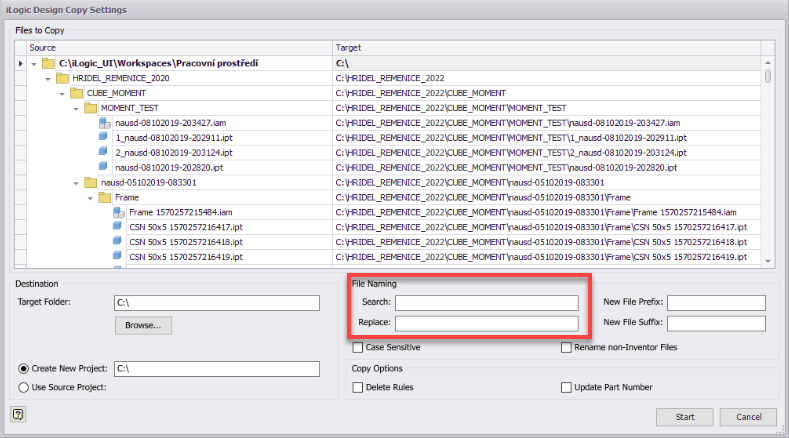
For more information see To Copy Designs Containing iLogic Rules.

Shortcut keys in the context menu
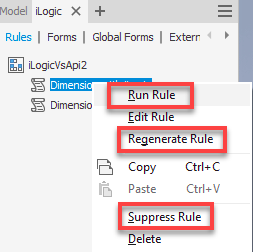
It is now possible to use the shortcut keys for the iLogic rules in the context menu. Select the rule from the list, right-click and use the shortcut key to perform the desired operation. The following shortcut keys are available:
- R Run Rule
- E Edit Rule
- G Regenerate Rule
- S Suppress/Unsuppress Rule
- D Delete
Browser Enhancements
AutoScroll
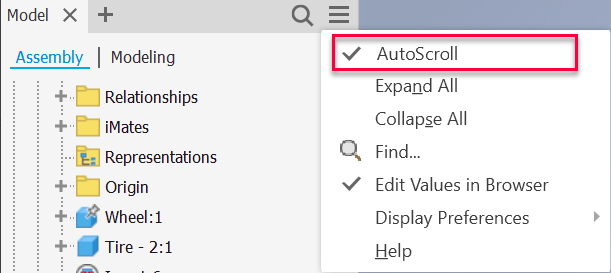
Select the newly added "AutoScroll" option to automatically scroll to display the selected object on top of the list.
Filename Location
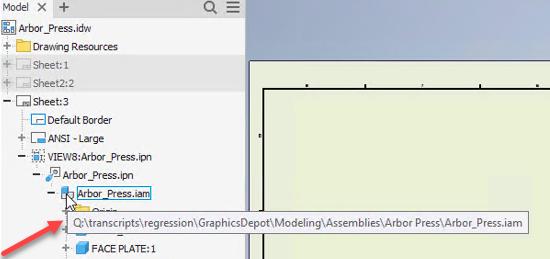
When you hover over the filename icon in the browser, the tooltip with the filename and the file path displays to easily identify the file location. Note that the file must be saved on a local disk to display the file path.
Task Scheduler
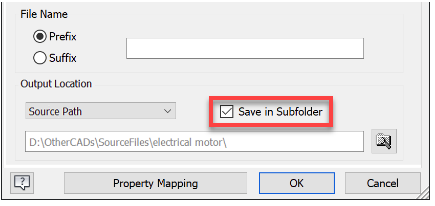
The newly added option to Save In Subfolder in the Import Options dialog box improves file management tasks. The path selection persists for use with subsequent import tasks, whether a single file or a batch process.
Guided Tutorials
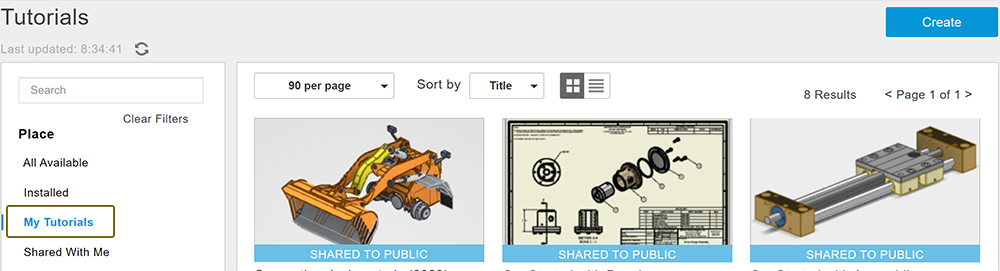
Recently, text incorrectly displayed in the guided tutorial gallery and tutorial descriptions. The issue has been resolved, however, it is necessary for guided tutorial authors to remove the share for their tutorials, and share them again. Here are the steps:
- On the Home tab, click Tutorials.
- Set the Place filter to My Tutorials.
- Select the tutorial you want to reset.
- Click Share
- Click Remove Share.
- Click Share again.
- Click Share in Public Gallery.