Drawing View Enhancements
Learn about various enhancements in drawing views.
Edit Detail Properties
When editing a detail view, use Edit Detail Properties to change the detail view boundary shape from circular to rectangular. The command is accessed from the view context menu in either the browser or the sheet.
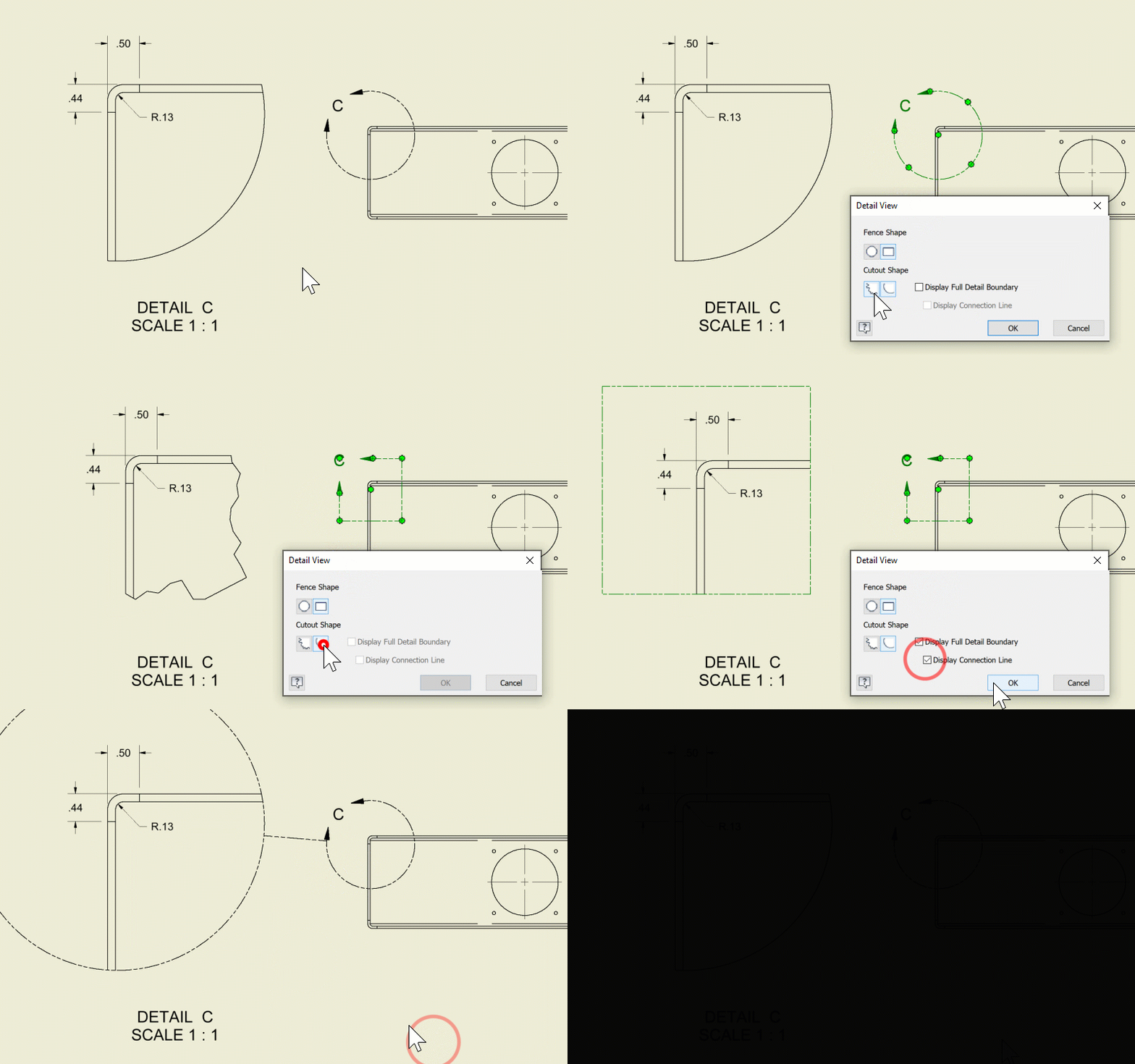
For more information see About Detail Views

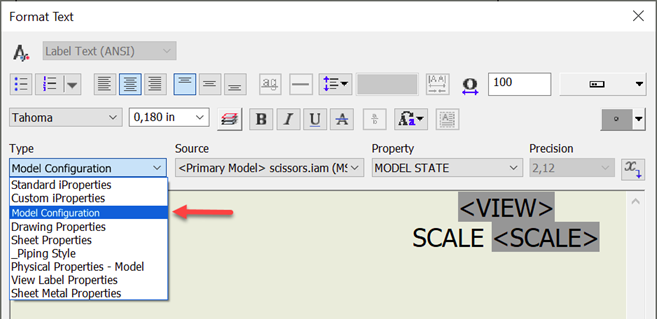
Model State Name within View Label in Drawings
A new "Model Configuration" category is added to the Type combobox in the Format Text dialog which enables you to configure view labels to display a model state name in the drawing views. Any edits to the view model state are reflected in the view label.
Support for Model States in the Overlay View
When creating an Overlay View for parts, you can select a desired model state to be shown in the view. It can be useful for example when showing a part before the processing and after.
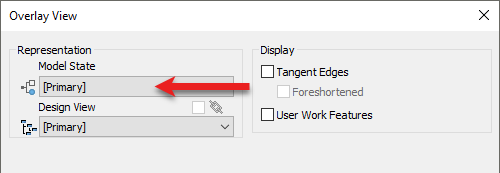
For more information see To Work with Overlay Views.
The Base View command not necessary when creating a Drawing View with a sheet format
Previously, the Base View dialog was always displayed when you select a sheet format when creating a new drawing. Now, if the sheet format has at least one view defined in it, the Base View command won't start.
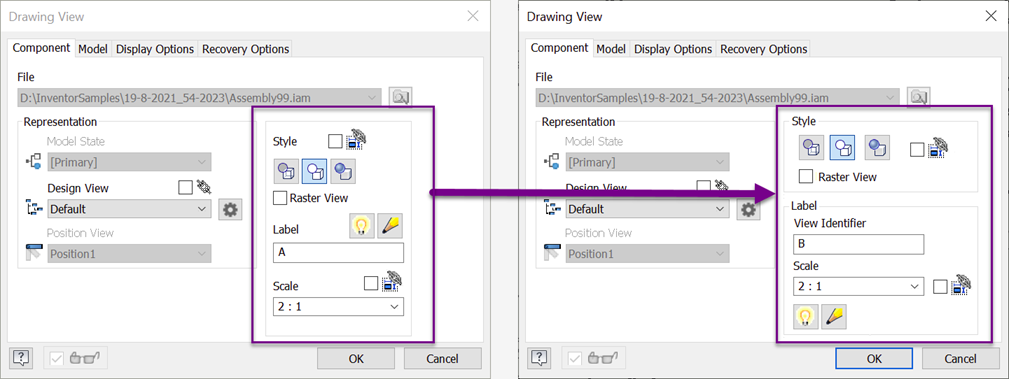
Improved User Interface related to View Labels
- View label options are reorganized in the Drawing View dialog box to provide more clarity.
- In the Format Text dialog, the VIEW property is renamed to VIEW IDENTIFIER to be consistent with view dialog boxes.
- In the Format Text dialog, names of the View Label Properties are localized appropriately and appear in the current Inventor language.
Copy and Move revision tables across drawing sheets
You are now able to move (using drag & drop) or copy and paste a Drawing Scope Revision Table from one sheet to another within the same drawing so that revision history is available on every sheet.
Text Property Source for Sheets
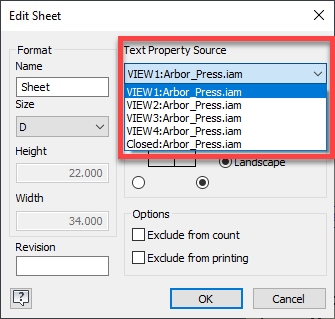
Any view model reference can be selected as the primary property source for text, title block, and sketch symbols in a drawing sheet. Previously, properties in text always referenced the model from the first drawing view.
In the Edit Sheet dialog, specify the view model reference using the "Text Property Source" drop-down menu.
Remove existing sheets from new drawings
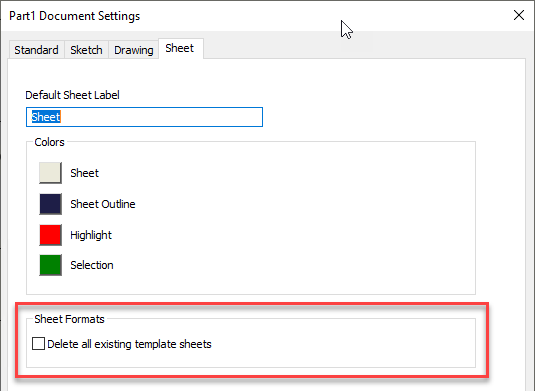
New "Delete all existing template sheets" option added to the Sheet tab of the Document Settings automatically removes existing sheets when you create a drawing from a predefined sheet format. Only the sheet from the sheet format is preserved. Make sure this option is also enabled in the same document (usually a template) that contains the sheet formats you are using.
For more information see Sheet Tab Reference (Document Settings).
Enable Properties for text input in drawing dimensions
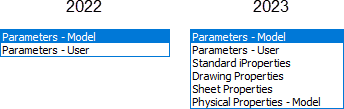
All property fields are now available when you launch the text editor when editing a drawing dimension.
For more information see Format Text Reference.