Sheet Metal parts
Learn about new enhancements for sheet metal parts.
Display Extended Information in Browser Enabled for Multiple Commands
The options "Display extended information after feature node name in browser" (available from the Application Options > Parts tab, and "Show Extended names" (available from the Model browser tool's menu) are enhanced to support the following commands:
- Face
- Contour Flange
- Flange
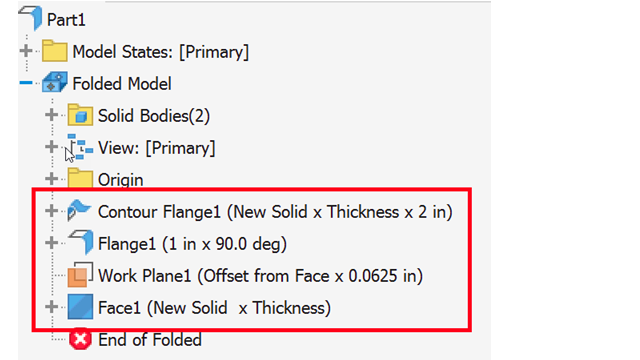
Access from Application Options > Parts tab:
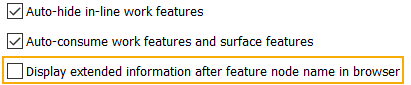
Access from Model browser tool's menu:
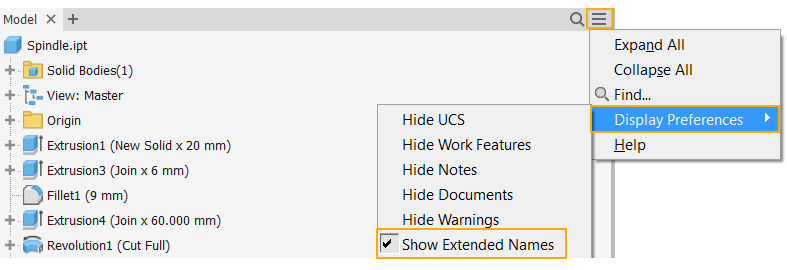

For more information, see Part Tab Reference (Application Options).
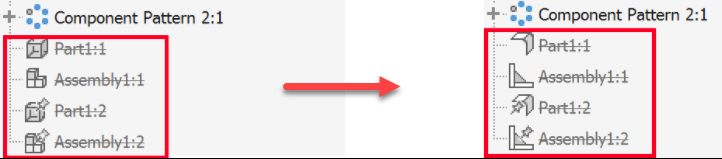
Correct icons for Suppressed Sheet Metal and Weldment parts within assemblies
In the assembly browser, the icons for suppressed sheet metal and weldment parts were updated to reflect the look of the unsuppressed icons. Note that old suppressed sheet metal and weldment icons won't change to the new icons until you un-suppress and then suppress them again.
Sheet Metal templates
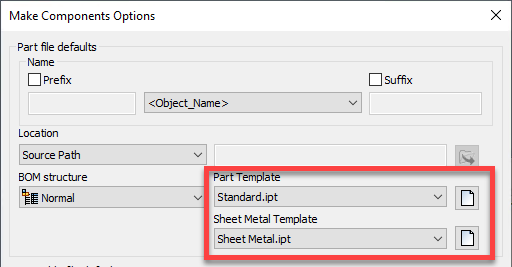
A new Sheet Metal Template option is added to Tools > Document Settings > Modeling tab > Make Components Options dialog to select or browse to the template used to create new sheet metal part files.