What's New for Inventor 2026.3
Check out the latest update of this release of Inventor.
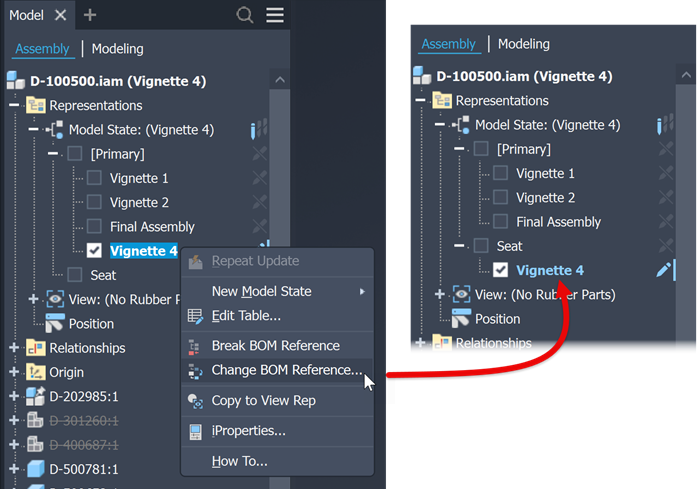
Model State Enhancements for Inventor
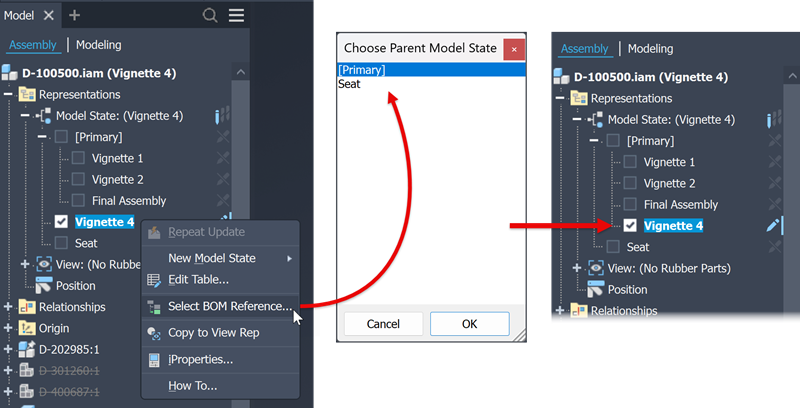
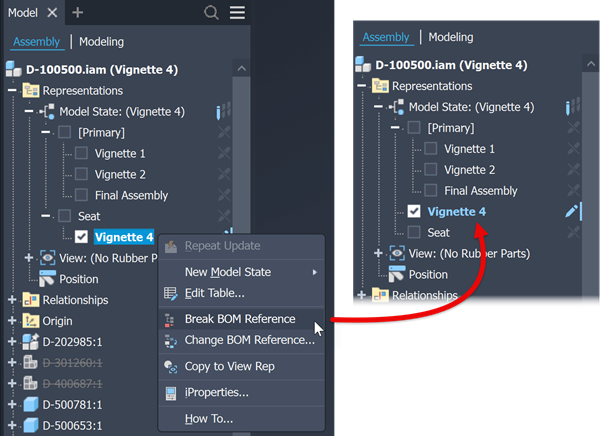
Use the following right-click (context) menu commands to manage model state relationships. With these commands you can nest model states within another model state, change which model state is hierarchically above a model state, or break the hierarchical relationship of two model states.
Select BOM Reference... displays a list of available model states that can serve as a parent model state. Select the desired parent and click OK. The model state is delegated as a child of the selected parent model state.
Change BOM Reference... displays a list of available model states that can serve as a parent model state. Select the desired parent and click OK. The model state is moved beneath the selected parent model state.
Break BOM Reference... moves the designated child model state to the same hierarchical position as the parent model state. The model state is no longer a child model state.
For more information about delegating model states with these commands see To Edit Model States
Data Exchange Enhancement
Data Exchange has a new workflow and user interface.
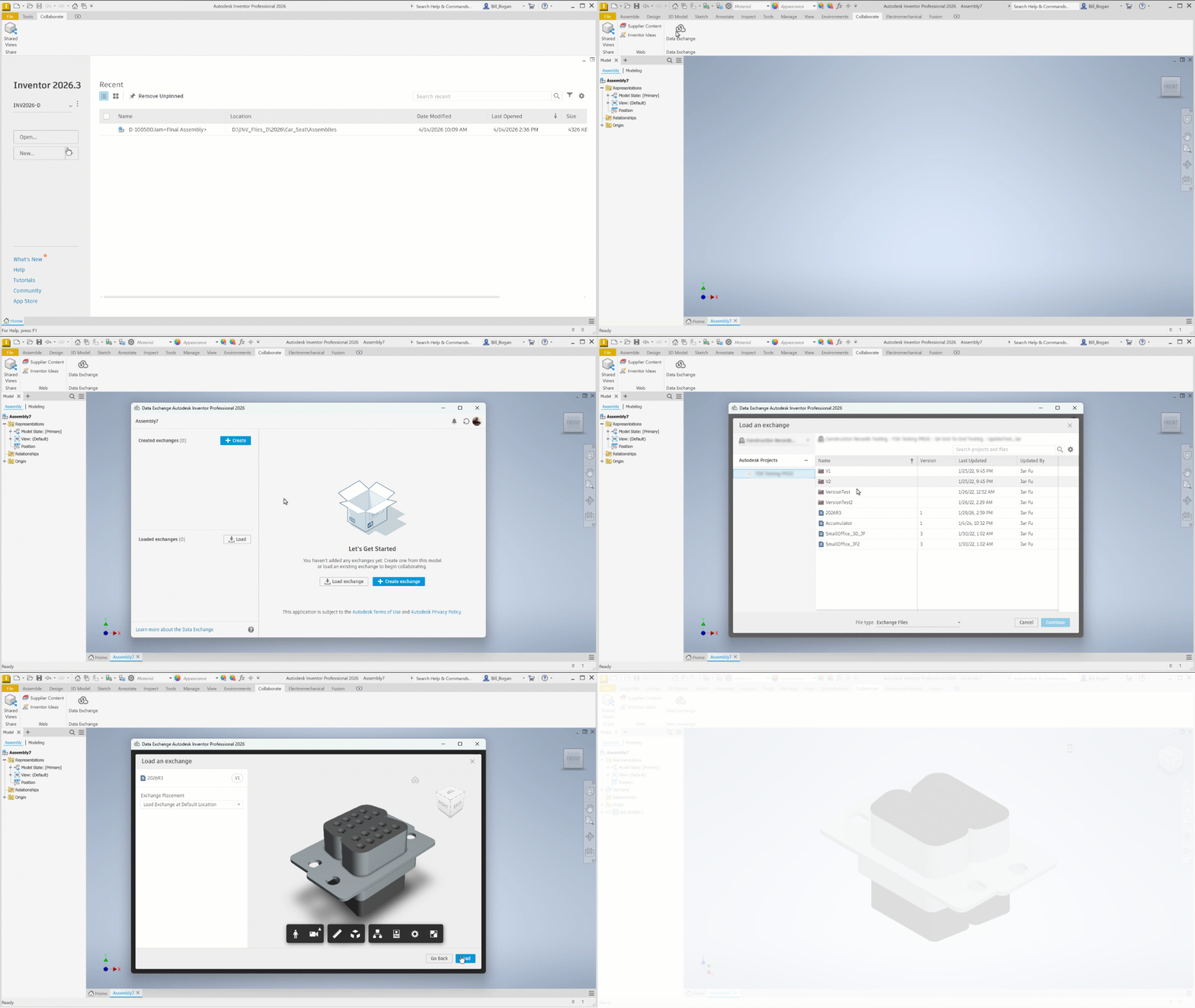
For more information see Autodesk Data Exchanges for Inventor - Overview and its related topics.
AnyCAD for Inventor
Reference Future (newer) Versions of Inventor Part and Assembly Files
You can now reference an Inventor 2027 part or assembly file in Inventor 2026.
You must have Inventor 2026.3 installed to support opening 2027 part and assembly files. Download Inventor 2026.3 via the Autodesk desktop app or from https://manage.autodesk.com.
Use the Open, Place, or Derive commands to create a reference to a newer version of an Inventor part or assembly file.
Migration: If you open and save the file in a newer version of Inventor (or use Task Scheduler to migrate files with references to future versions) the newer version references are migrated to standard Inventor Place and Derive relationships.
For more information see About AnyCAD for Inventor.
Translators Updates - Version Support
Translator support for import of:
- Catia V5 from Catia V5-6R2025
- Creo 12
- Granite 18
- NX2406
- SolidWorks 2026
Translator support for export of:
- Granite 18
For more information see Translators (3rd Party Files) and Supported File Versions.