To Capture Current State of Drawing Curve
Use the Capture Current State context menu option to capture iLogic code and create a GeometryIntent for a drawing curve. GeometryIntent is for a drawing curve in a drawing view.
In a drawing (.idw) file, right-click on drawing curve, and select iLogic
 Capture Current State.
The code displays in the Code Clipboard browser.
Note: If not already docked, you can drag and drop into the main browser.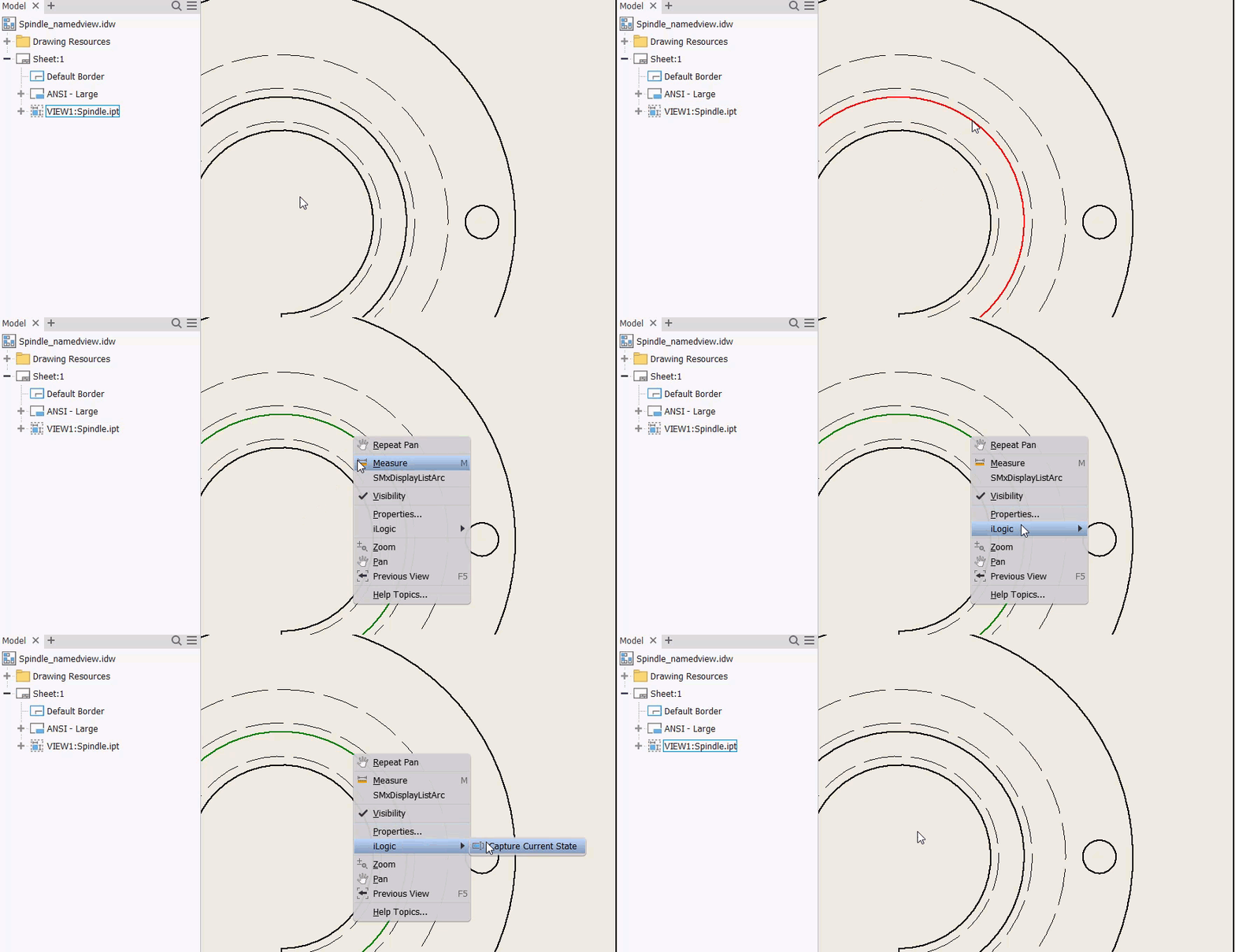
The Code Clipboard displays what is on the internal clipboard and updates as you're creating code. When done, open the iLogic Rule editor and paste in the content into a new rule.
To clear the clipboard of items you've selected, click Clear Clipboard.