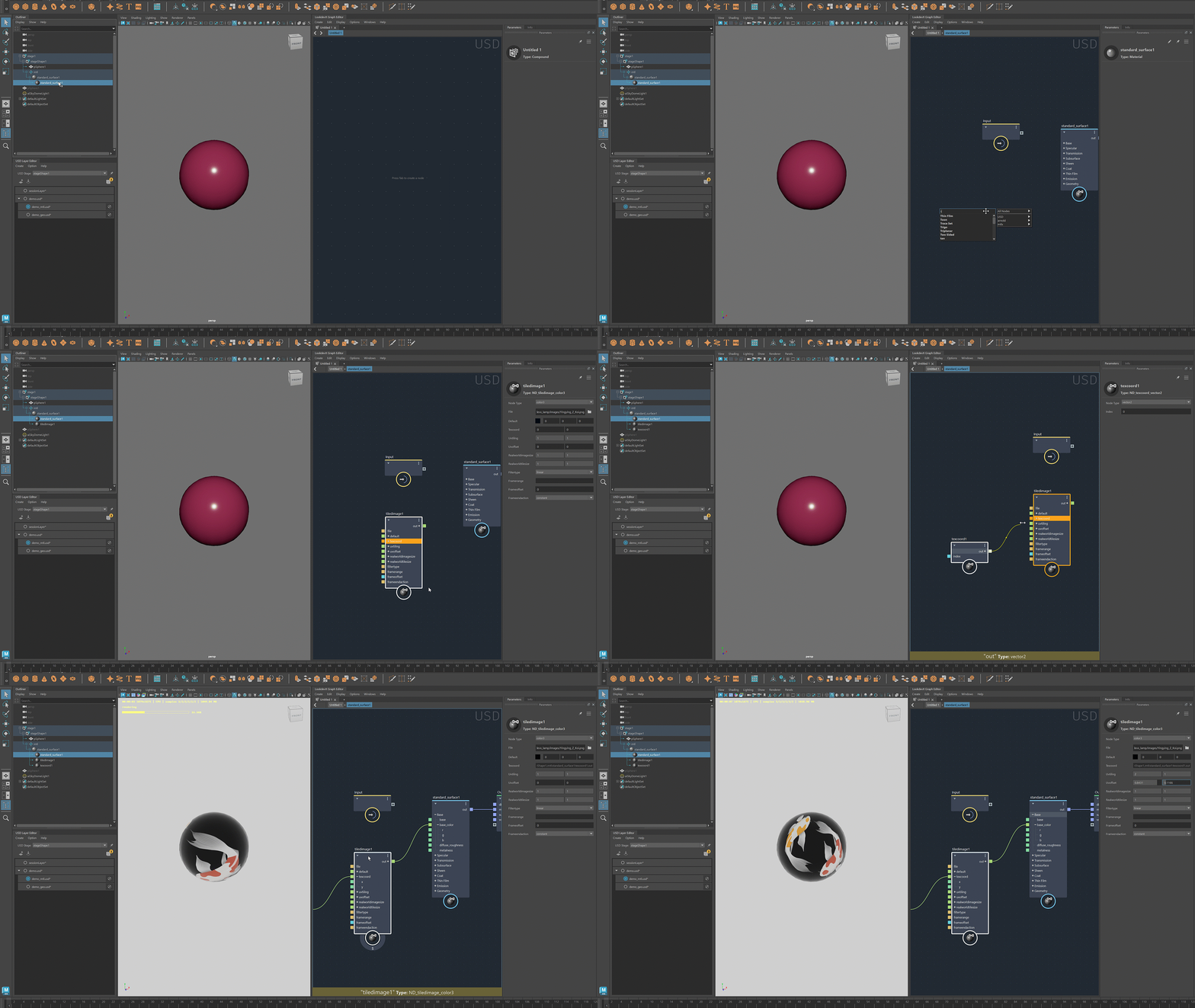
Overview of the USD data model
- Ensure that LookdevX and USD for Maya are loaded in the Plug-in Manager (Windows > Settings/Preferences > Plug-in Manager)
- Open USD Layer Editor (Windows > USD Layer Editor)
- Open LookdevX Graph Editor (Windows > LookdevX Graph Editor)
Basic workflow
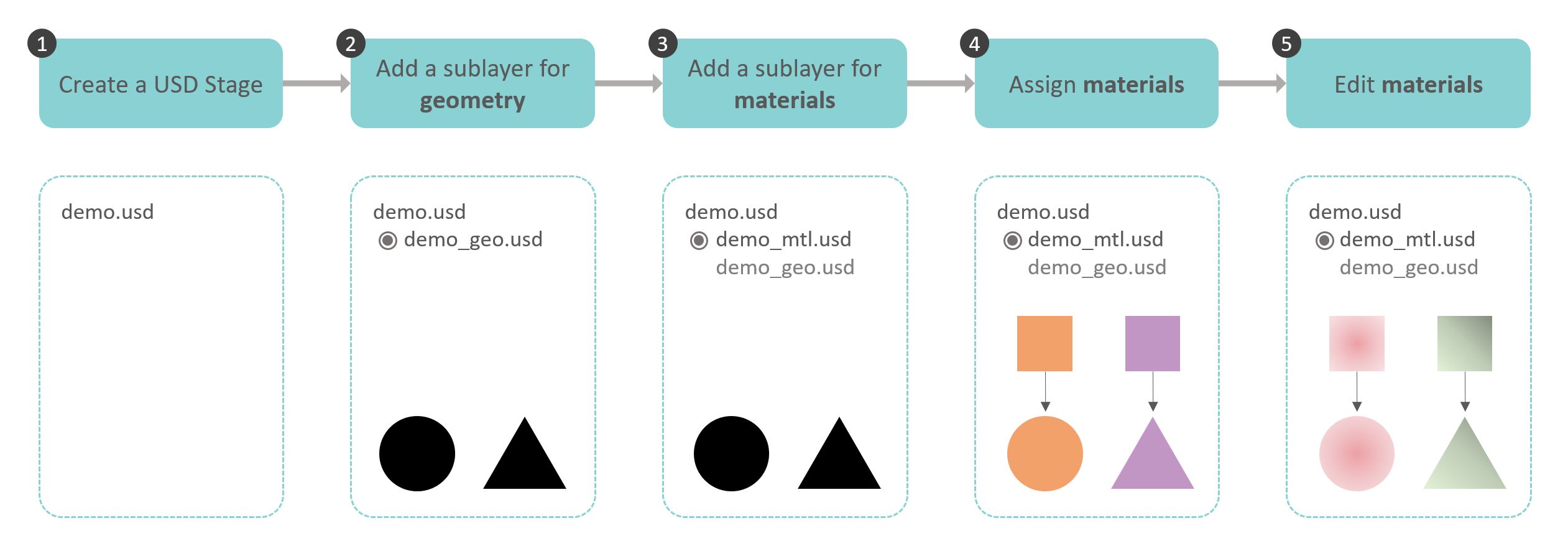
The following diagram describes a workflow for working with LookdevX using the USD data model.
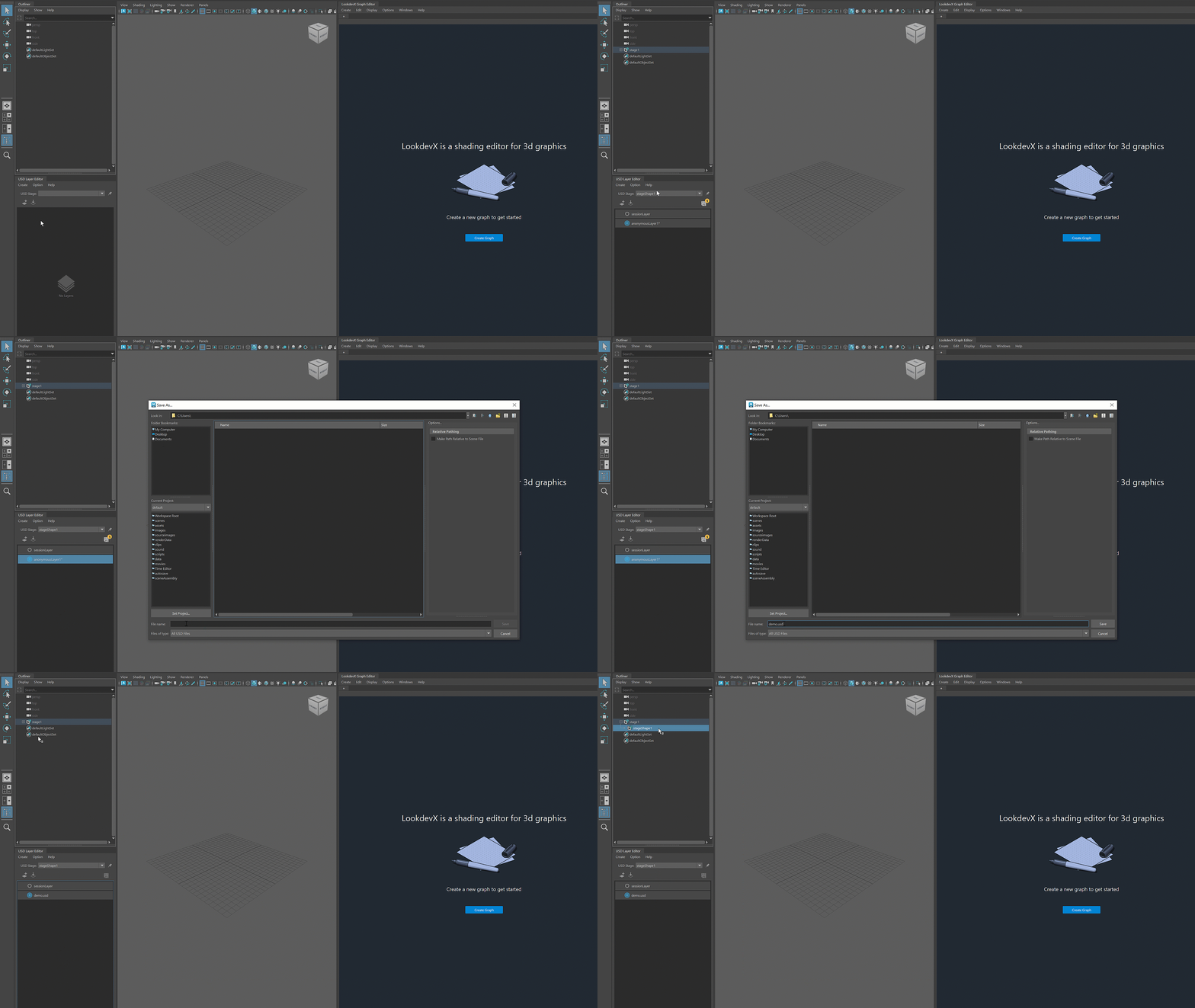
1. Create a USD Stage
To create a USD stage, select Create > Stage with New Layer.
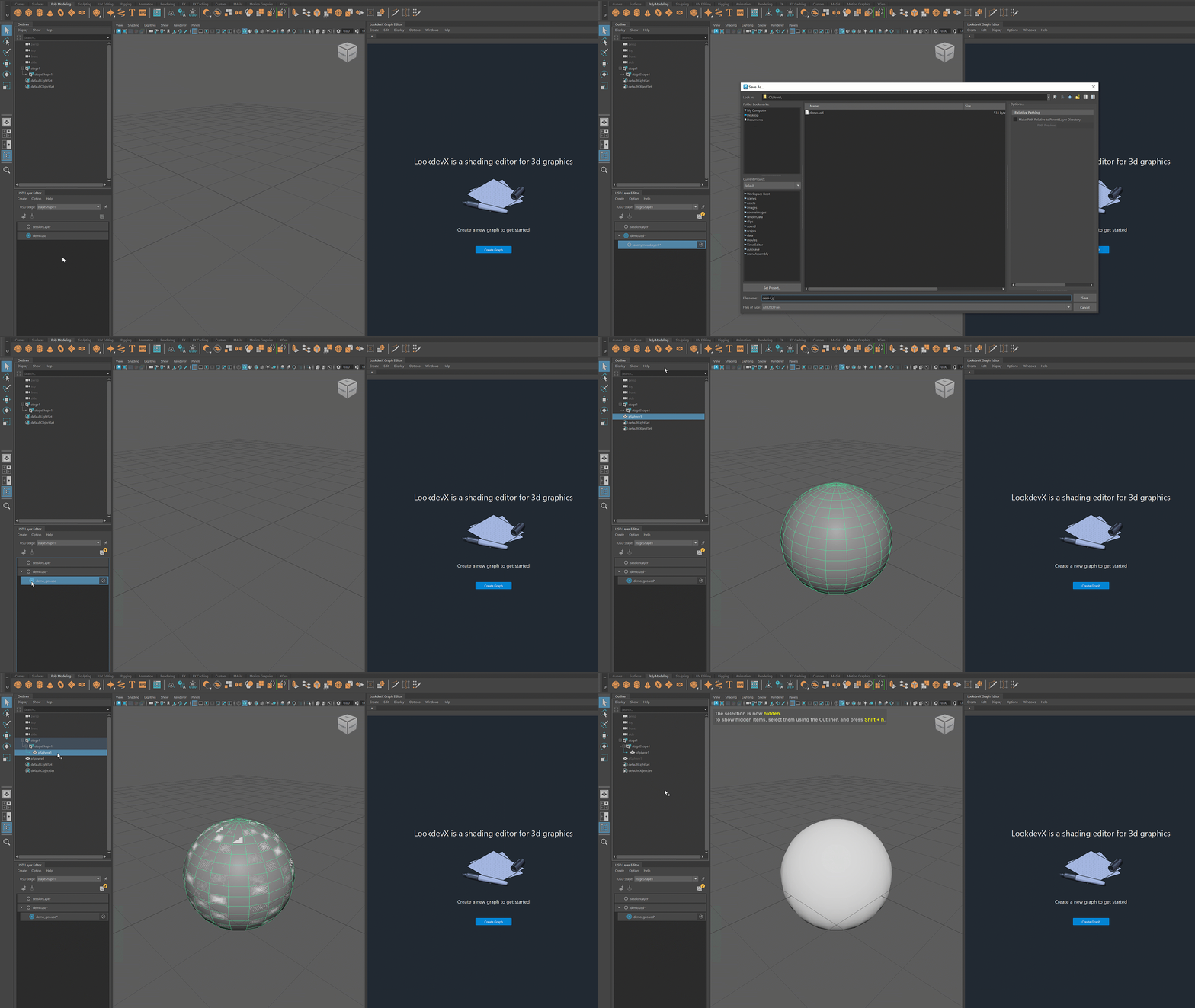
2. Add a sublayer for geometry
To add a sublayer, right-click the layer and select Add Sublayer.
3. Add a sublayer for materials
Follow the same procedure as in step 2 to create a sublayer for materials.
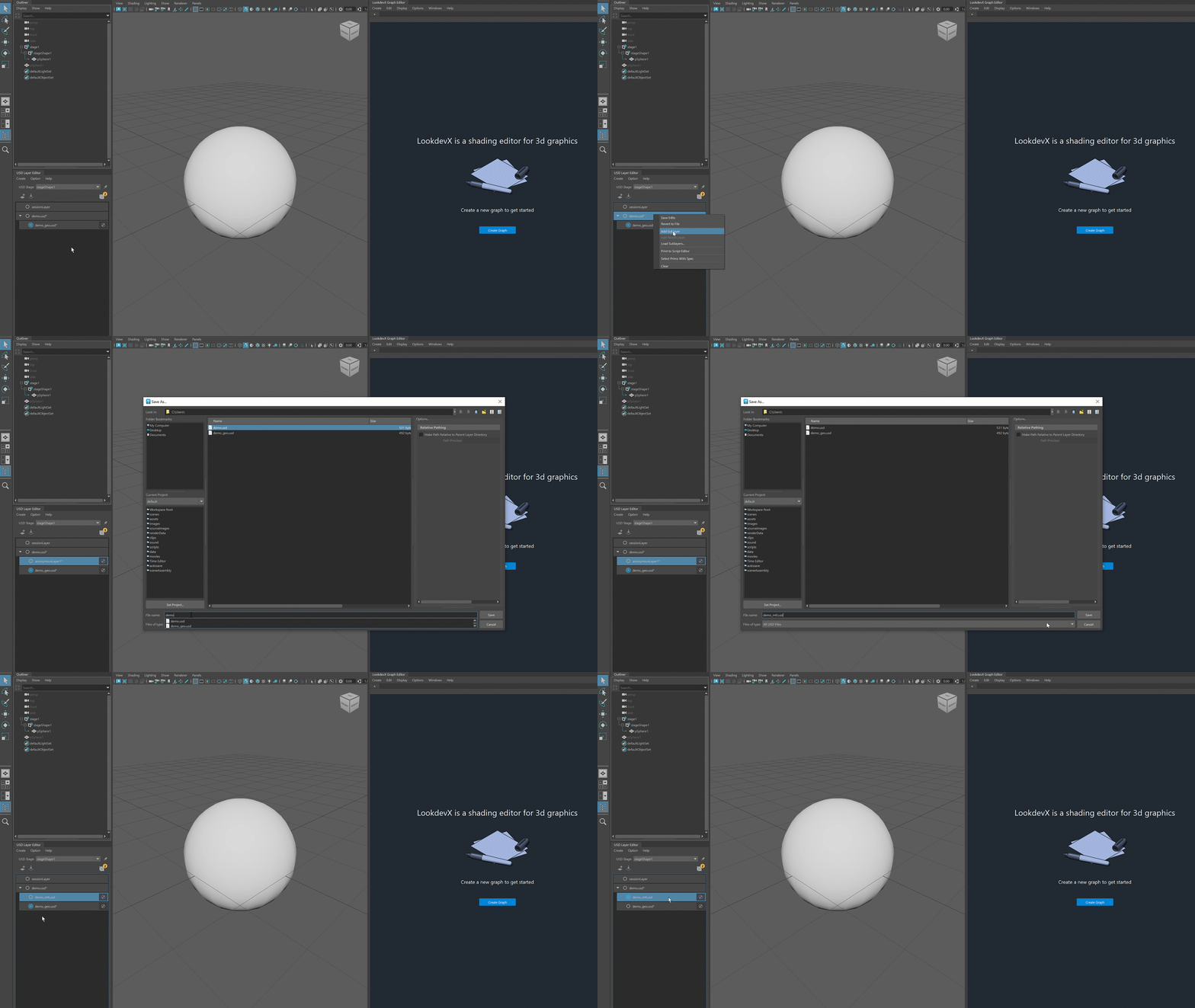
4. Assign materials
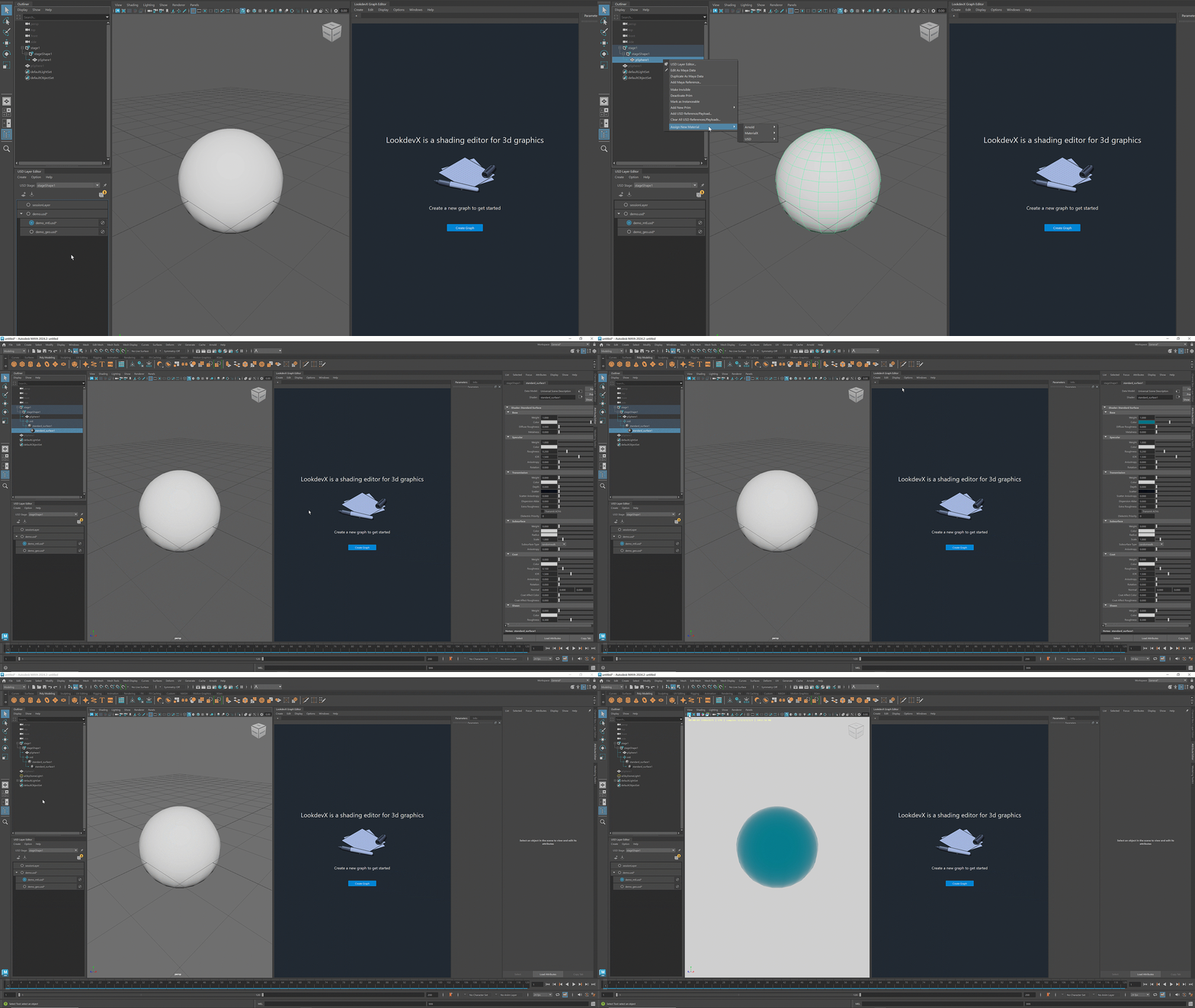
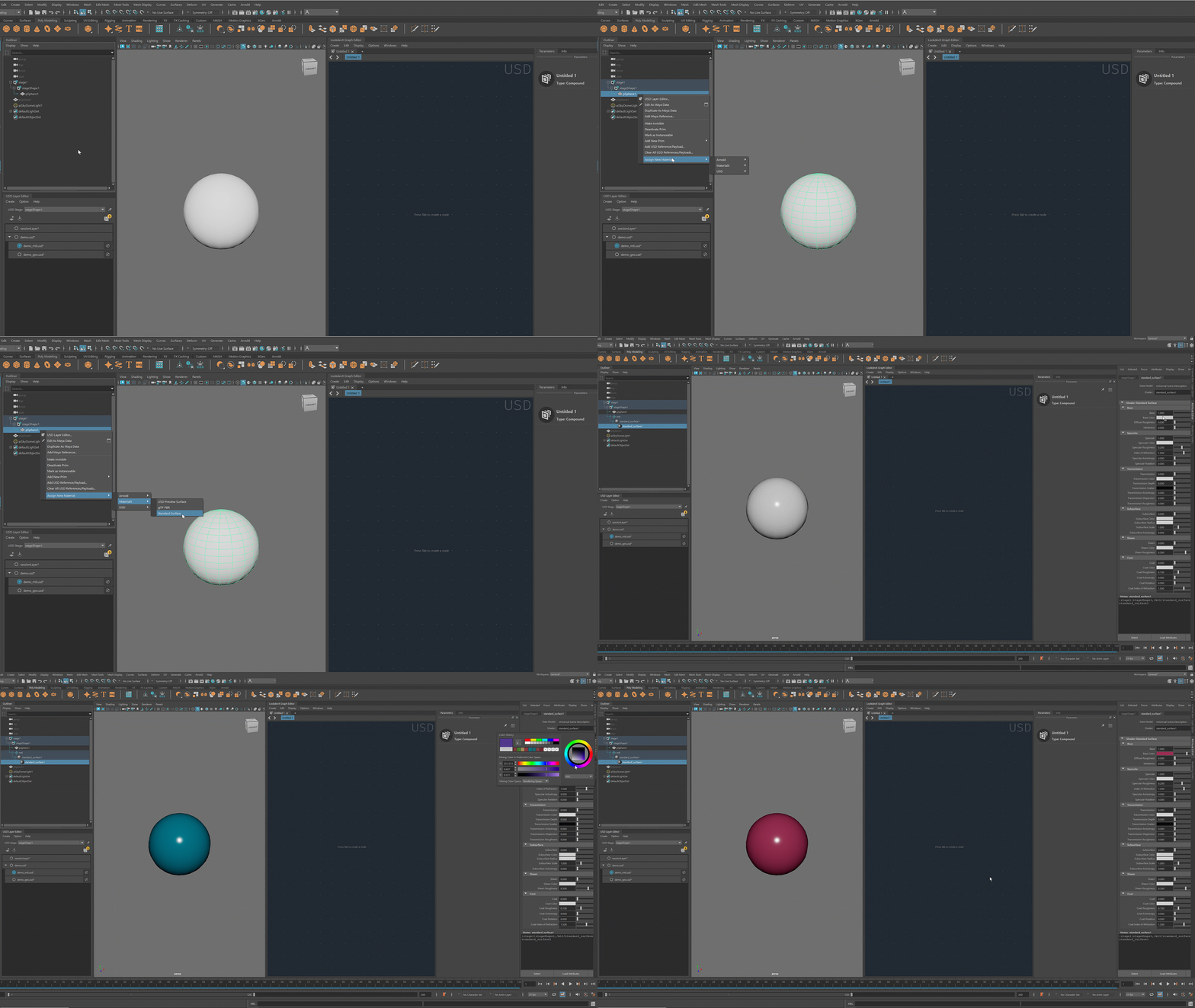
To assign a new material to a geometry, right-click the geometry in the Outliner and select Assign New Material.
With LookdevX, you can choose from these material formats: Arnold, MaterialX and USD Preview Surface.
Example 1: Assign Arnold standard surface to the geometry
Example 2: Assign MaterialX standard surface to the geometry
5. Edit materials in LookdevX
Example 1: Edit Arnold materials
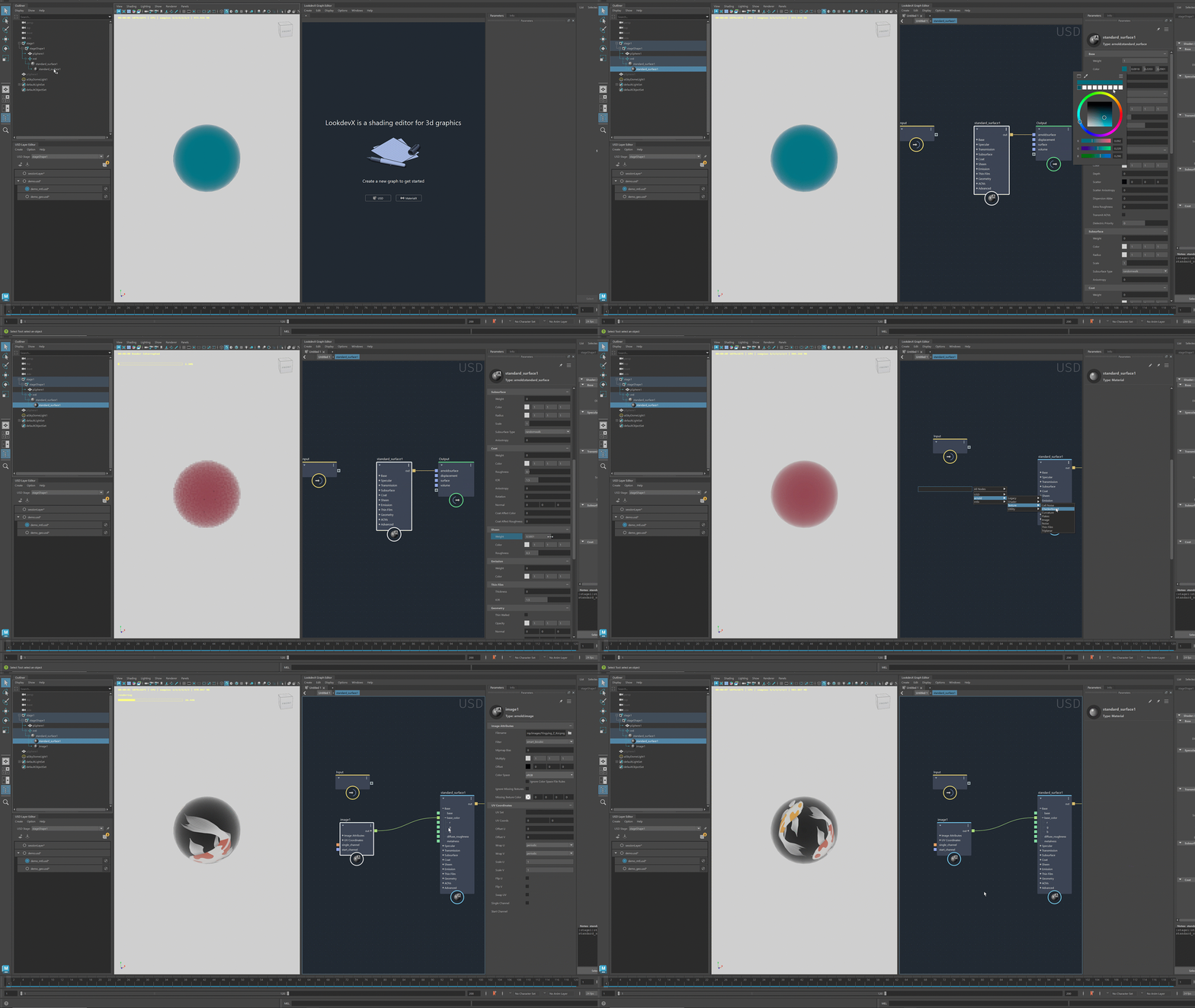
Example 2: Edit MaterialX materials