Creating and removing constraint offsets
Activating a constraint zeros the constrained (child) object’s translation, rotation, or scaling to match that of its source (parent) objects. You can reposition your objects to create a more appropriate offset.
To create a constraint offset:
Arrange the objects in your constraint.
Click Snap to create an offset between the position, rotation, or scale of the constraint and the current position of the object being constrained.
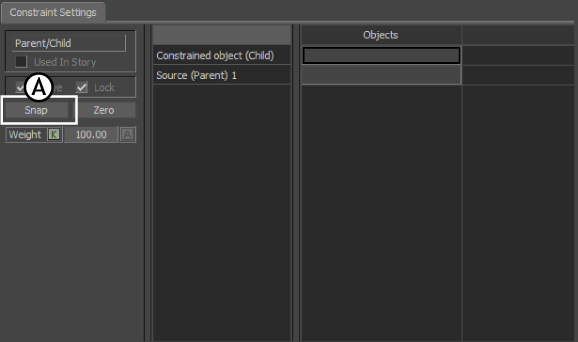
Parent/Child constraint A. Snap button
Activate the Lock option so the constrained object is frozen in position and cannot be transformed.
To remove a constraint’s offset:
- Disable the Active, and Lock (if applicable) options in the Constraints Settings.
- Re-position your objects.
- Click Snap to reestablish the constraint’s new offset.
- Activate the Lock option so the constrained object cannot be moved.