Setting basic constraint commands in the Root folder
You can use the constraint root folder to Activate, Snap, Lock, Zero, View in Story, and set Weighting for multiple constrains at the same time.
The Constraints root folder is like a table of contents that lets you view constraints settings all at once, rather than opening each individual constraint.
To set commands in the constraints Root folder:
Select the Constraints folder in the Scene browser to display the contents of the folder in the Constraint settings.
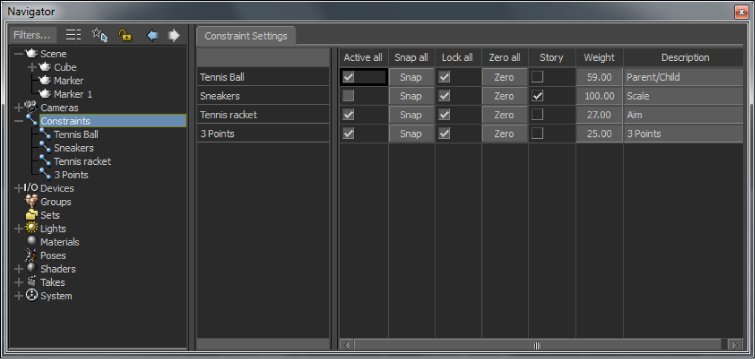
Constraints Root folder
Set basic commands in the Constraints Root folder, such as Activate, Snap, Lock, Zero, View in Story, and set Weights for each constraint in the Folder, without needing to open the constraint.