Using Chain IK to constrain a chain of bones
The Chain IK constraint lets you use Inverse Kinematics to constrain the movement of a chain.
To constrain a chain of bones with the Chain IK constraint:
Select a Chain IK constraint from the Asset browser’s Constraints folder and drag it into the Viewer window.
- If you drag it into an empty area of the Viewer window, the Chain IK settings appear in the Constraint settings.
- If you drag the constraint on top of an object, a context menu appears asking if you want to assign the object as one of the constraint’s operators.
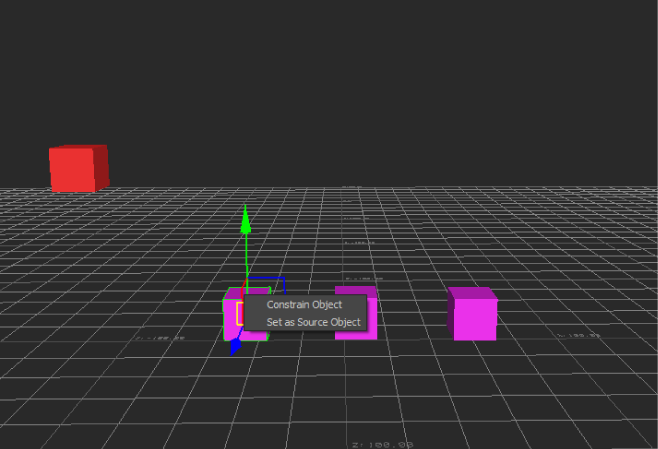
Constraint context menu
Assign the objects that you want to be the first and last nodes in the IK chain to the First Joint and End Joint cells.
If you have a node that branches to more than one node, drag a node into the Effector cell to specify which one is the End Joint.
If you want, assign an object to be the aim of the chain to the Pole object cell.
Click Snap to activate the constraint without moving the constrained objects, or click Active to activate the constraint.
Note:If you are using IkRPSolver, rotating the effector object does not alter the constrained object. See the Solver Type section in Solver Type for more information.