Locking the position of a constrained object
Lock a constraint to make sure that the position and rotation of its constrained object does not change after the constraint is active. This can be useful in complex scenes where you do not want to move constrained objects accidentally.
Note:
You cannot lock Expression or Rotations constraints.
To lock the position of a constrained object:
In the constraints setting for the appropriate constraint, make sure the constraint is activated.
Activate the Lock option. This locks the position or rotation of the constrained object.
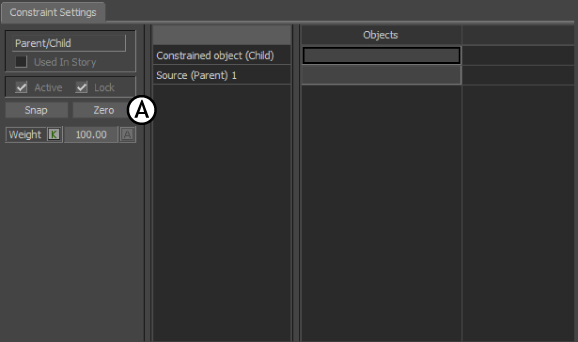
Parent/Child constraint A Lock option
To reposition locked objects:
- Disable the constraint’s Active and Lock options.
- Transform the object and click Snap
- Activate the lock Option.