Locking story clips
Locking a story clip prevents animators from accidentally moving or retiming a clip, and avoids subsequent issues that can arise later in the animation pipeline. You cannot move, scale, stretch, or otherwise modify a locked story clip.
To lock a clip:
Select a clip in the Story window.
In the Properties tab of the Resources window, turn on In/Out Locked.
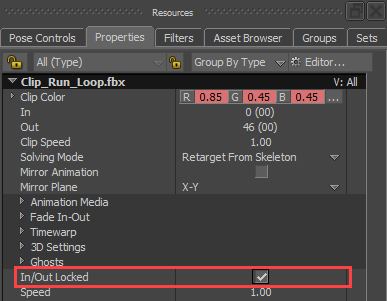
The clip is locked and the following updates occur:
The title of the clip in the Story window updates to show it is locked:

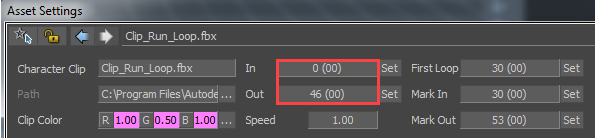
The In and Out parameters of the clip are locked and can not be modified: