Work with editable motion trails
Editable motion trails let you preview your animation and interactively adjust keyframes within the 3D scene. Motion trails provide a visual representation of keys right around your animated models, letting you adjust the timing, keys, and position of animation directly.
Edits between the motion trail and the animation curve are synchronized so that any edits you make to the FCurve, including the merged result of animation layers, updates the motion trail.
Editable motion trails from control rigs are supported for HIK2014, HIK2016 and MBSolver.
Display an editable motion trail
Select the element of the object or control rig, such as a hips effector.
Click the Trajectories icon:
 .
.Click the down arrow next to the Trajectories icon, and select Set on Selection.
The motion trail of the selected object or element displays.
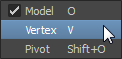
Click the Object Model mode tool and select Vertex.
Keys from the animation now appear on the motion trail.
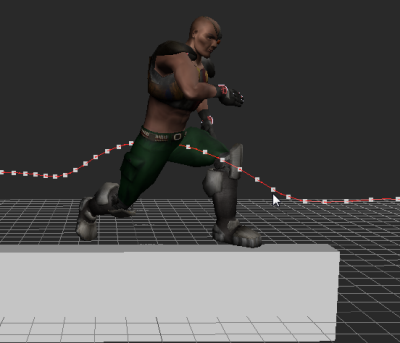
Edit the motion trail to affect the animation
You can manipulate, add, or delete keys on the motion trail curve to the affect the object or character animation.
Select a key on the motion trail, and use the manipulator tool to change its position.
To insert a key, position the timeline indicator on the frame where you want to add the key, and do one of the following:
- Click the Key icon:
 from the Key Controls or FCurve window.
 - Right-click the timeline, and select Key at Time from the menu that appears.
Keys are added to the motion trail curve, the timeline, and the FCurve.
- Click the Key icon:
To delete a key, do one of the following:
- Right-click the key on the motion trail, then select Delete > Confirm from the menu that appears.
- Position the timeline indicator on the key you want to delete, and then click the delete key icon:
 from the Key Controls or FCurve window.
The keys are deleted from the motion trail curve, the timeline, and the FCurve.
Editing motion the trails of layered animation
When editing the motion trails of layered animation, note the following:
- If you merge animation layers, mute or solo a layer, click the Trajectory icon to update the motion trail in the scene.
- You can edit the motion trail of a muted animation layer.
- Locking an animation layer disables its motion trail from being edited.