Duplicating takes
You can create copies of takes as backups while you apply filtering or adjust keyframes. You can also use duplicate takes in the Motion Blend window to create animation cycles.
To duplicate a take in the Take settings:
- In the Scene browser, double-click the Takes root folder to display all the takes in the Takes settings.
- Right-click the name of the take you want to duplicate and select Duplicate from the context menu.
A take is created with the same captured data as the original take. The take is given the same name as the original take, plus a numerical extension. For example, if you duplicate Take 001, its copy is named Take 002.
You can also duplicate takes by selecting a new take from the current take field. MotionBuilder asks you if you want to copy the data from the current take to the new take. Click Yes to copy the data or No to create an empty take. Click Cancel to abort the duplication process.
To duplicate a take in the Transport Controls:
In the Transport Controls window, select Take 002 (New) in the Current Take field.
Click Yes in the dialog box that appears. You can also click No to create an empty take. Click Cancel to abort the duplication process.
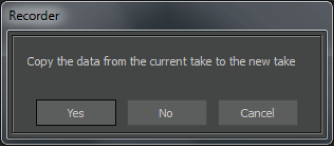
Click Yes in the dialog box to copy the take.