Recording preferences
The Recording preferences include settings for recording rate, recording in the Story, and the recording memory.
The Recording preferences enable you to:
- Define the recording rate by either using your system's frame rate or selecting a frame rate in the list of supported frame rates
- Define the recording frame rate
- Define the behaviour of recording in the Story
- Set the recording memory limit and activate the threshold warning
To access the Recording preferences:
From the menu bar, select Settings
 Preferences.
In the Preferences window, click the Recording preference option.
The Recording preference settings display.
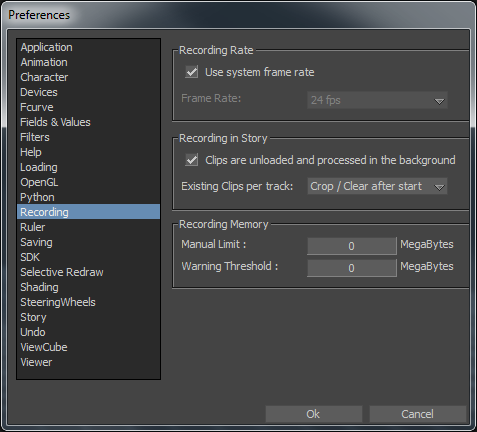
Recording preferences
The following tables describes the recording preference settings.
The frame rates supported are listed in the context menu.
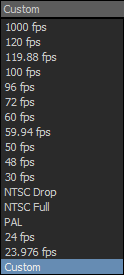
Supported frame rates
The custom frame rates supported are listed in the following table.
Supported Custom Frame Rates | |||
|---|---|---|---|
1 | 12.5 | 60 | 250 |
1.5 | 15 | 72 | 375 |
2 | 16 | 75 | 400 |
2.5 | 20 | 80 | 500 |
3 | 23.976 | 98 | 300 |
4 | 24 | 100 | 600 |
5 | 25 | 119.88 | 750 |
6 | 30 | 120 | 1000 |
7.5 | 40 | 125 | 1200 |
8 | 48 | 150 | 1500 |
10 | 50 | 200 | 2000 |
12 | 59.94 | 240 | 3000 |
If you enter a value other than one of these supported frame rates, the next highest supported frame rate is selected.